NovoNote now allows you to merge two duplicate client profiles into a single client file, so a client's sessions, notes and assessment results stay together on one profile, instead of being split across two.
Clinicians can use this feature when:
The same client has been created twice, often from a different spelling of their name or a different date of birth.
Sessions were recorded under one profile while assessments were completed under another.
Notes need to be consolidated after a session was saved to a duplicate profile.
How to Merge Duplicate Client Profiles
Before you start: Merging is permanent and can't be undone from your end, so check you've selected the correct clients, and the correct primary profile, before continuing.
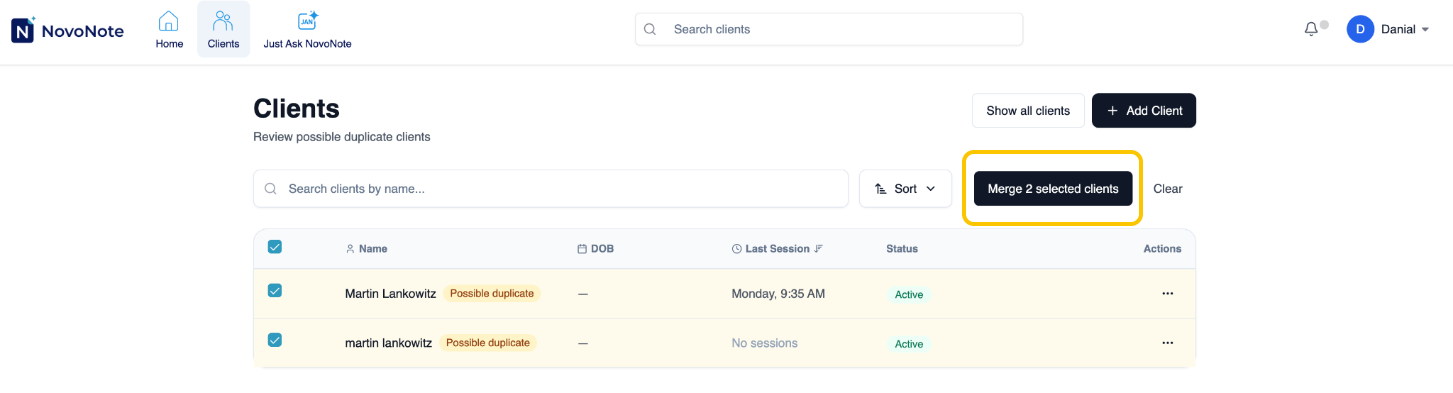
1. Open the Clients View and select "Review possible duplicates." NovoNote flags clients who may be duplicates based on similar names or dates of birth.

2. Select "Merge selected clients."
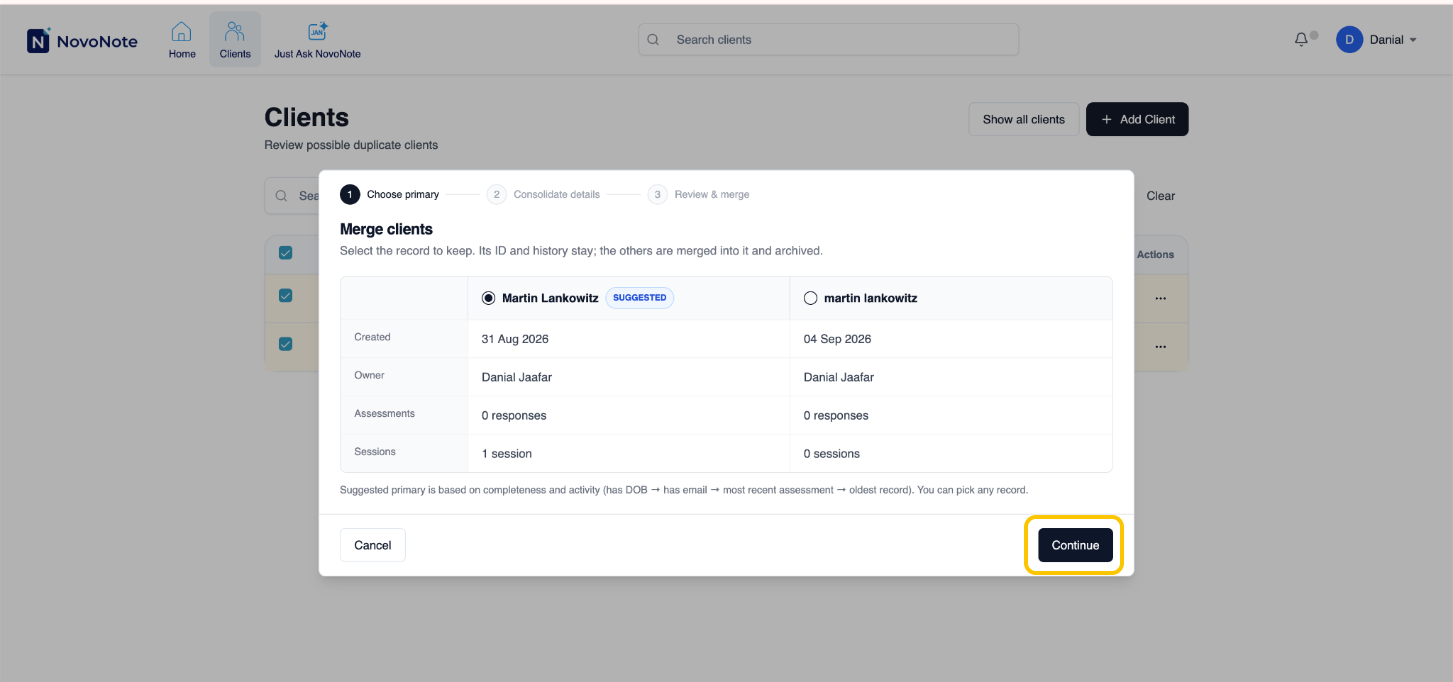
3. Choose the primary profile, the one you want to keep as the main record. Review both profiles carefully before confirming, as this cannot be reversed from your end. Select Continue.
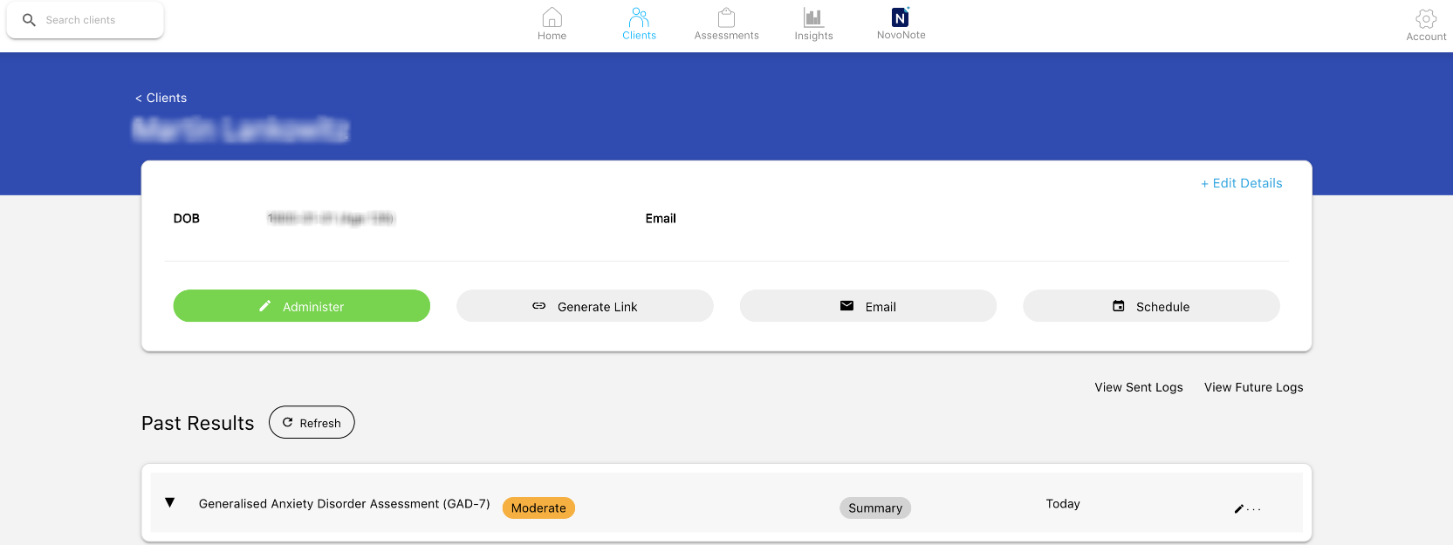
The profiles are now merged. The retained profile now shows the combined sessions, notes and assessment results.
If the duplicate you're expecting isn't listed, contact us at info@novopsych.com and we'll help you consolidate the records.
How to Correct an Assessment Date
Merging can sometimes carry over an assessment's administration date from the non-primary profile, so a report may show a date you don't expect.
To fix this from the assessment result of the client on NovoPsych:
1. Go to the Client profile on NovoPsych.
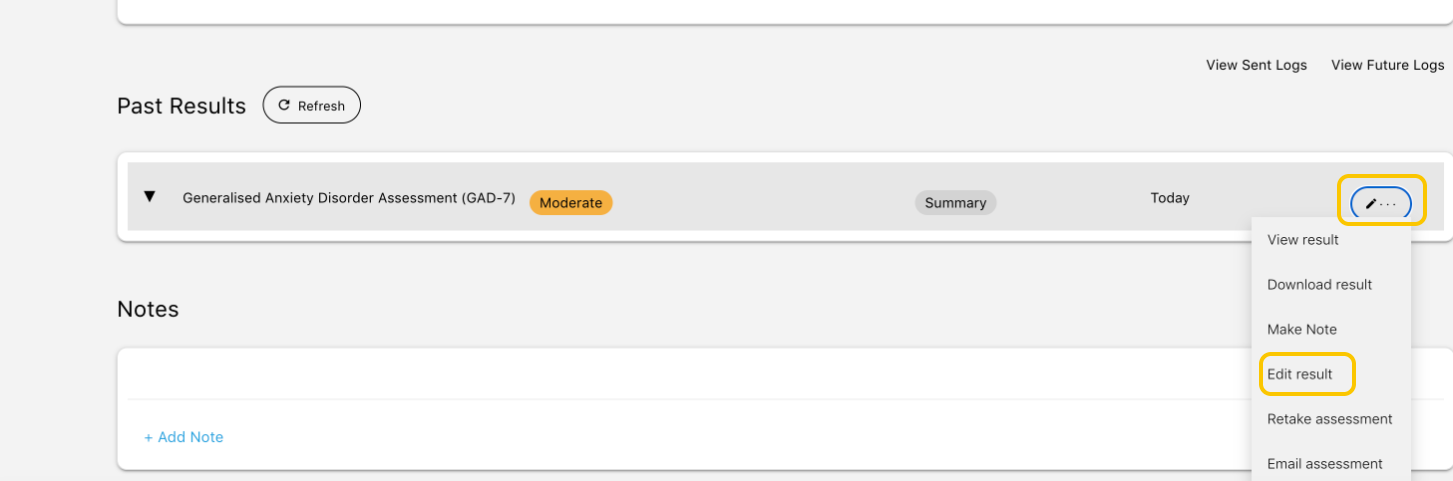
2. Click the "pencil icon" next to the Assessment result. Select "Edit result".
3. Select "Edit Date of Administration".
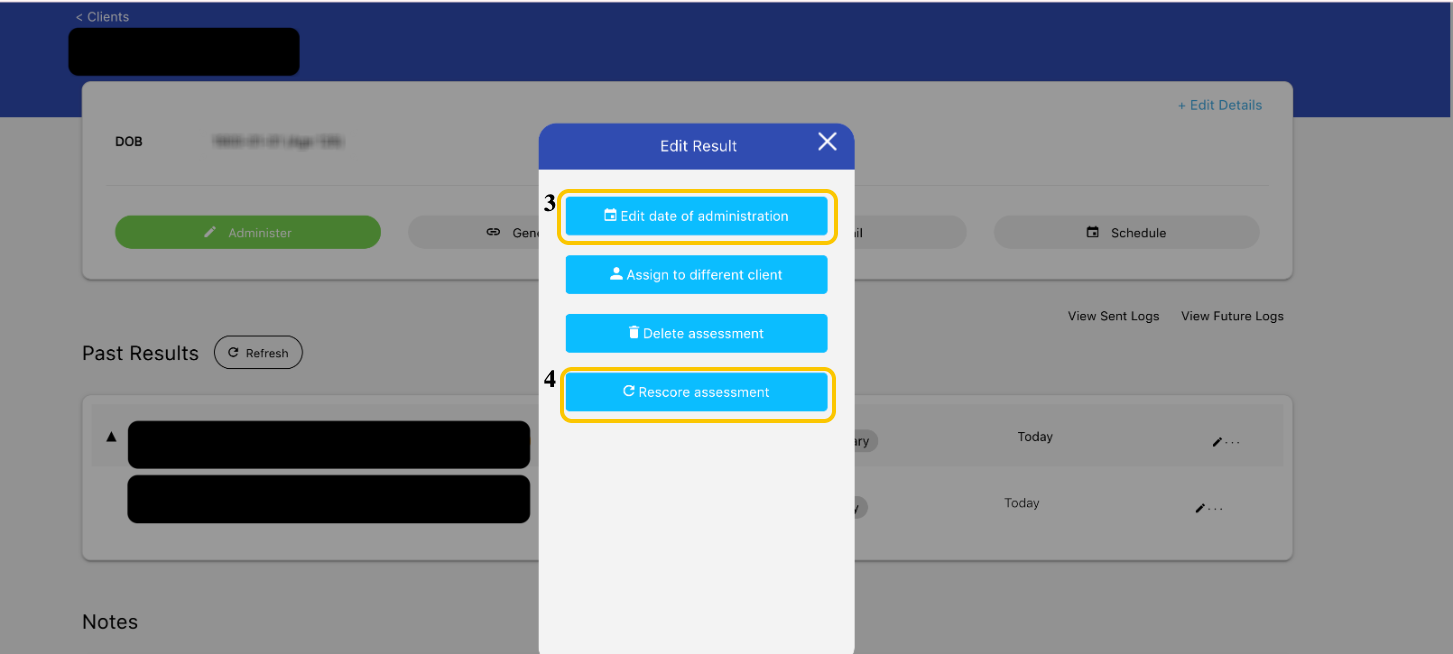
3. Select "Rescore Assessment." This updates the dates on the report.
If you have already deleted one of the profiles
Merging only works on profiles that both still appear in your client list. If you've already deleted a duplicate profile that held notes or assessments you need, it can be restored first.
Email us at info@novopsych.com with the client's initials and date of birth, and we'll restore the profile to your account. Once it appears in your client list again, you can merge it using the steps above.
Why this matters
Merging keeps a client's outcome tracking and psychometric trends on a single record, rather than split across two profiles that look almost identical in your client list. Anyone reviewing the client's progress then sees the full picture.
If you have any questions, contact us at info@novopsych.com.
Was this article helpful?
That’s Great!
Thank you for your feedback
Sorry! We couldn't be helpful
Thank you for your feedback
Feedback sent
We appreciate your effort and will try to fix the article