Client Sharing allows NovoNote Account Managers and Supervisors to assign a client to more than one clinician on the same Practice Plan. Once assigned, every clinician involved in a client's care will have shared access to the client's clinical documentation, including session notes, transcripts, documents, and psychometric assessments.
Client Sharing is designed to support multidisciplinary or shared care arrangements, helping teams collaborate on documentation in real time, maintain consistent oversight across a client's care, support a supervised caseload, or hand over between clinicians with ease.
Who can assign clients?
Only Account Managers and Supervisors can assign clients to other clinicians. Practitioners can access clients they have been assigned to, but cannot assign clients themselves.
How to assign a client to a clinician
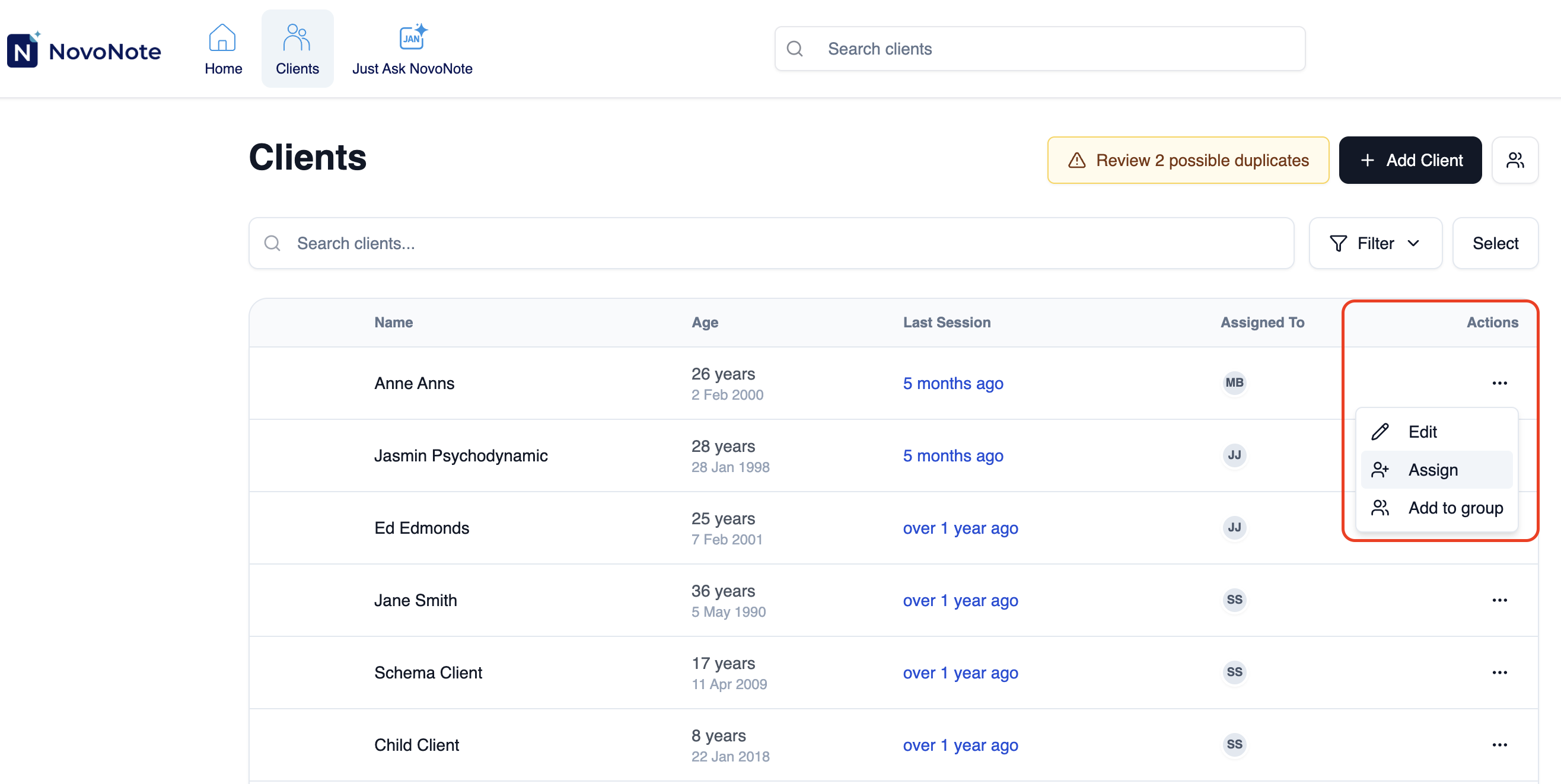
1. Navigate to your "Clients" page and click the "..." button (under the Actions column)
2. Click on "Assign"
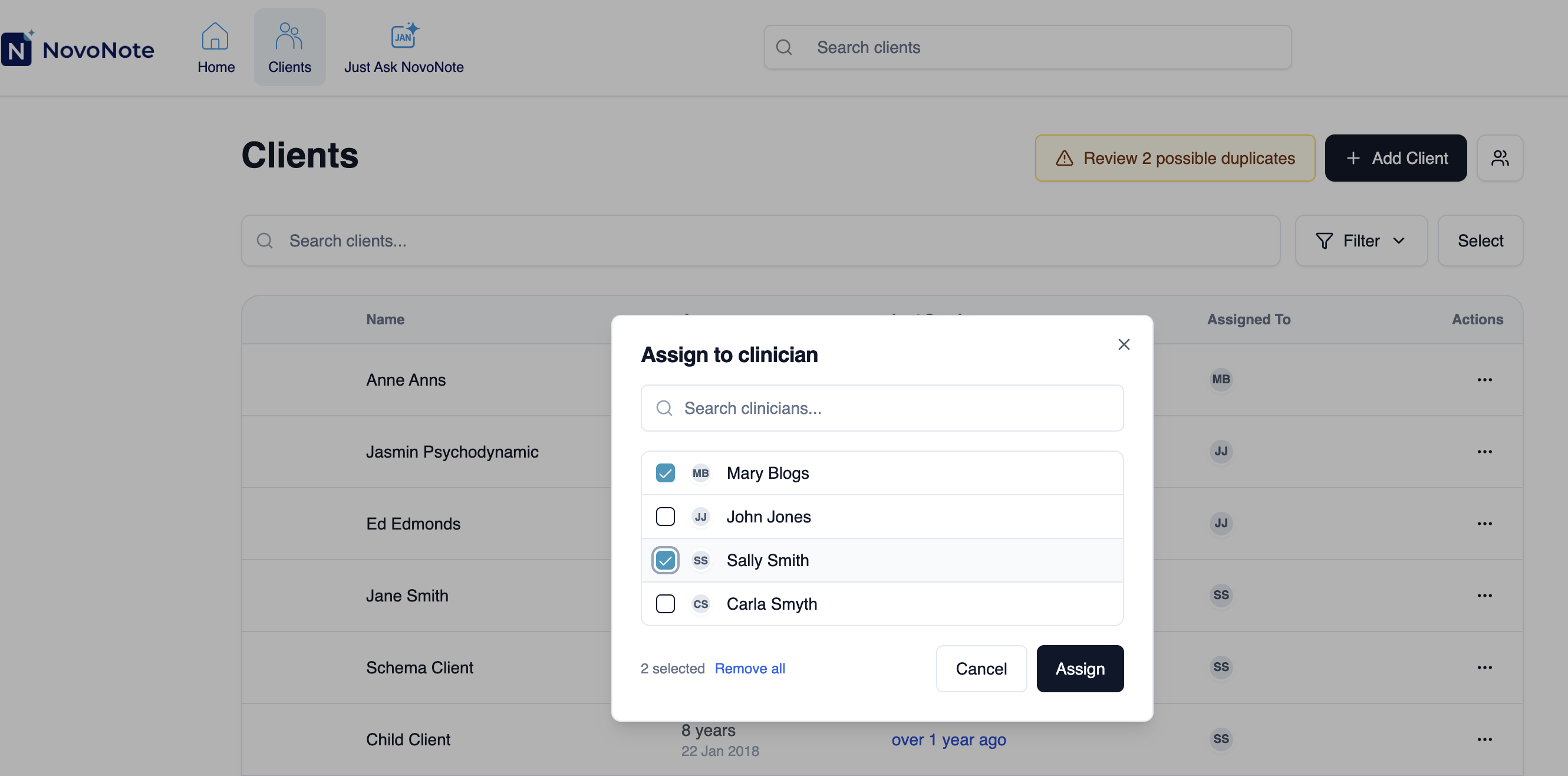
3. Select which clinicians you want to assign the client to, and click "Assign"
The assigned clinicians now have shared access to:
- Transcripts
- Session notes
- Attachments
- Psychometric assessments
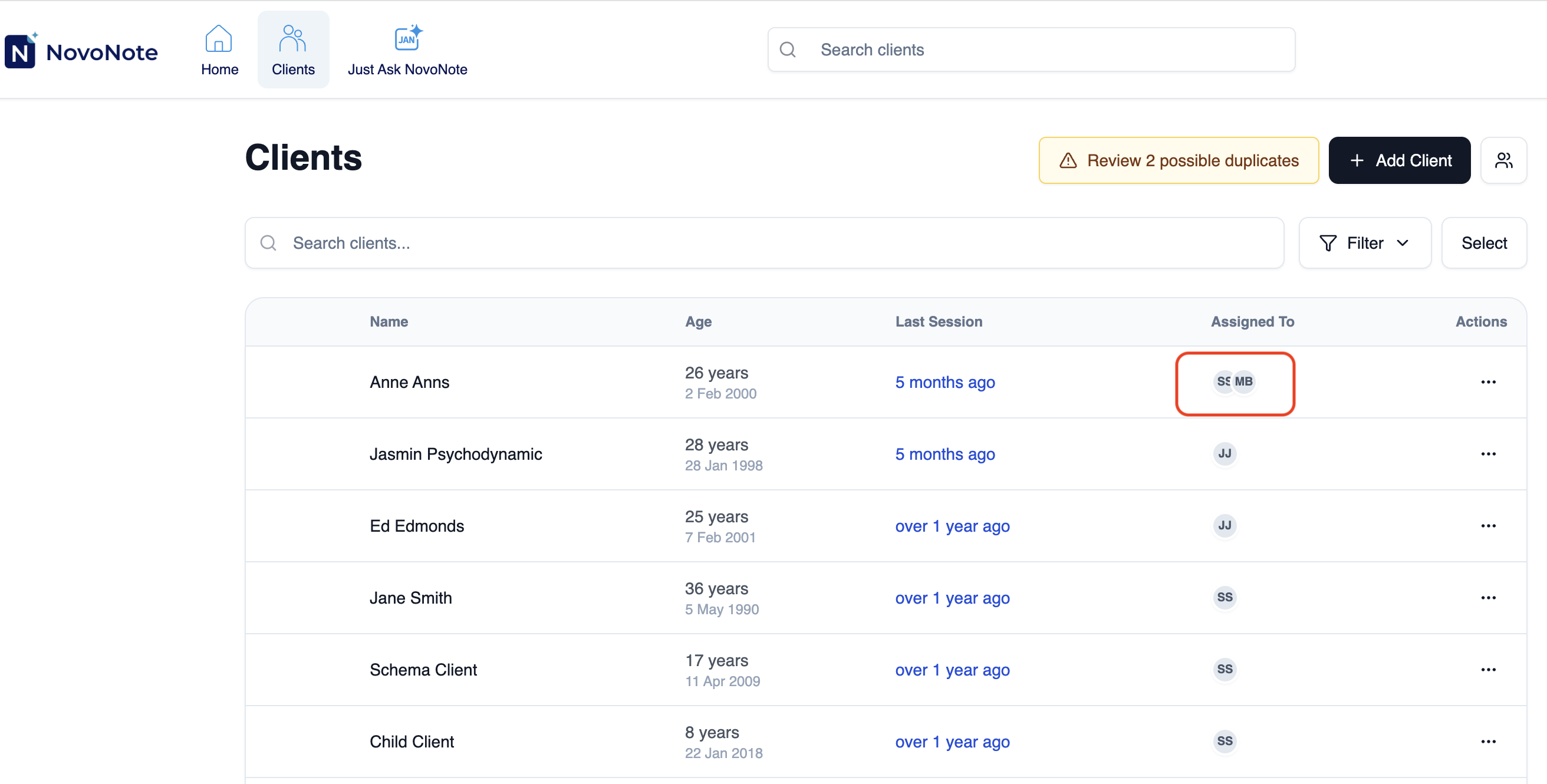
Accessing clients shared with you
Clients assigned to you appear in your regular client list in NovoNote. No additional steps are required to access them.
If you have any questions, contact us at info@novopsych.com.
Was this article helpful?
That’s Great!
Thank you for your feedback
Sorry! We couldn't be helpful
Thank you for your feedback
Feedback sent
We appreciate your effort and will try to fix the article