Occasionally, users may notice that a note does not fully generate or the transcript appears cut short. This typically occurs when the audio stream is interrupted by device power settings, browser inactivity, or microphone conflicts.
Example Scenarios
The note cuts off midway through a sentence.
The note only captures parts of the session (e.g., only the beginning/final parts).
The transcript contains significant gaps in the conversation.
Initial Troubleshooting
If your transcript/note appears incomplete, please try the following steps:
Retry processing the Note:
Click the “Retry” button on the session allow the session transcript/note to regenerate.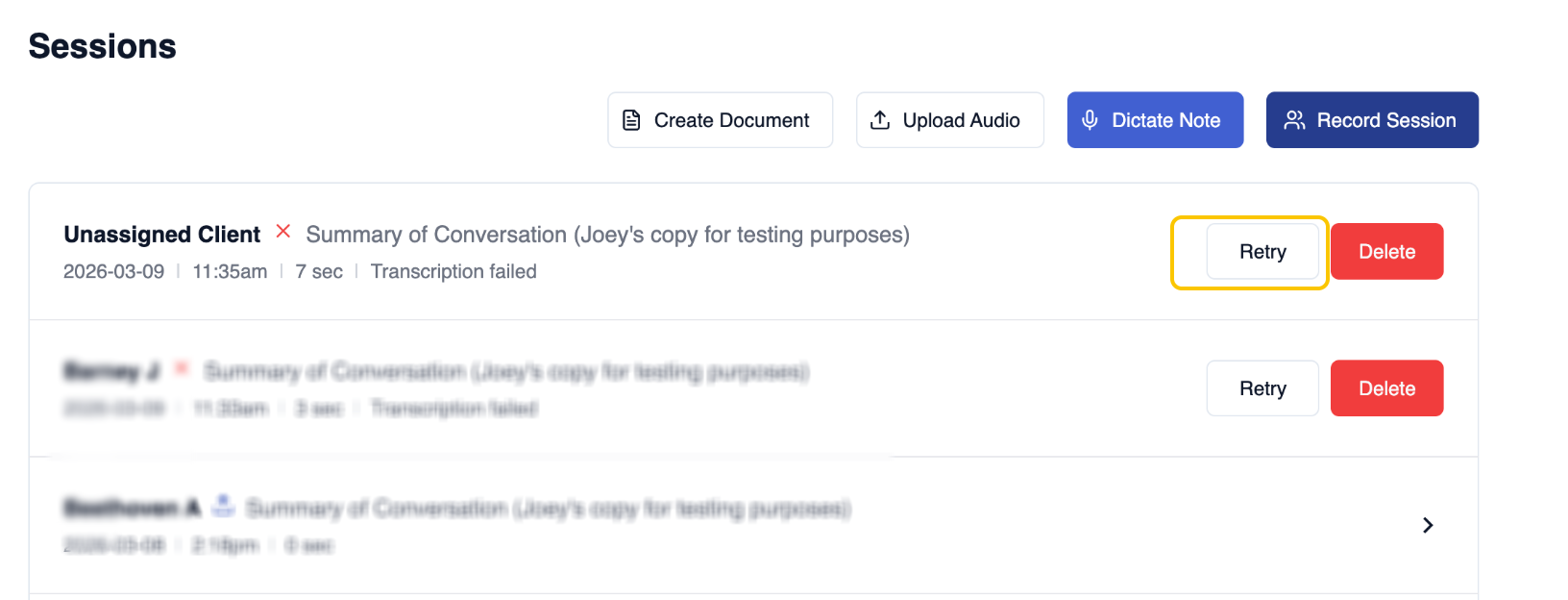
Contact Support:
If regeneration doesn't work, reach out to info@novopsych.com with the following details:Session details (Client initials, date/timestamp).
Session type (Telehealth vs. In-person sessions).
Any known interruptions (e.g., screen went inactive, tab was minimised, device went to sleep).
Helpful Tips to Prevent Incomplete Transcripts
1. Prevent Device "Sleep Mode" & Screen/Tab Inactivity
If your device goes to sleep or the screen becomes inactive during a long session, the microphone may stop capturing audio, leading to incomplete transcripts.
To prevent this from happening, we recommend the following:
Adjust Power Settings:
Ensure your device is set to "Never Sleep" or has a long screen-timeout duration during sessions.- Keep the Tab in Focus:
NovoNote uses a feature called Wakelock to help keep your screen active. However, this only works if the NovoNote tab is open and in the foreground (not minimised). Avoid Minimising Tabs:
If the browser is minimised or NovoNote runs in a background tab, the Wakelock feature may not work correctly. This can affect the microphone when the screen becomes inactive.
2. Using NovoNote with Telehealth
If you are recording during a Telehealth session (e.g., Zoom, Google Meet, Teams, or Coviu), the Telehealth platform may take control of the microphone (microphone conflict), causing NovoNote to lose access to the audio stream.
For telehealth sessions, we recommend using our Telehealth Mode feature. This feature is designed to better capture audio during telehealth sessions, helping to reduce issues related to incomplete/empty transcripts.
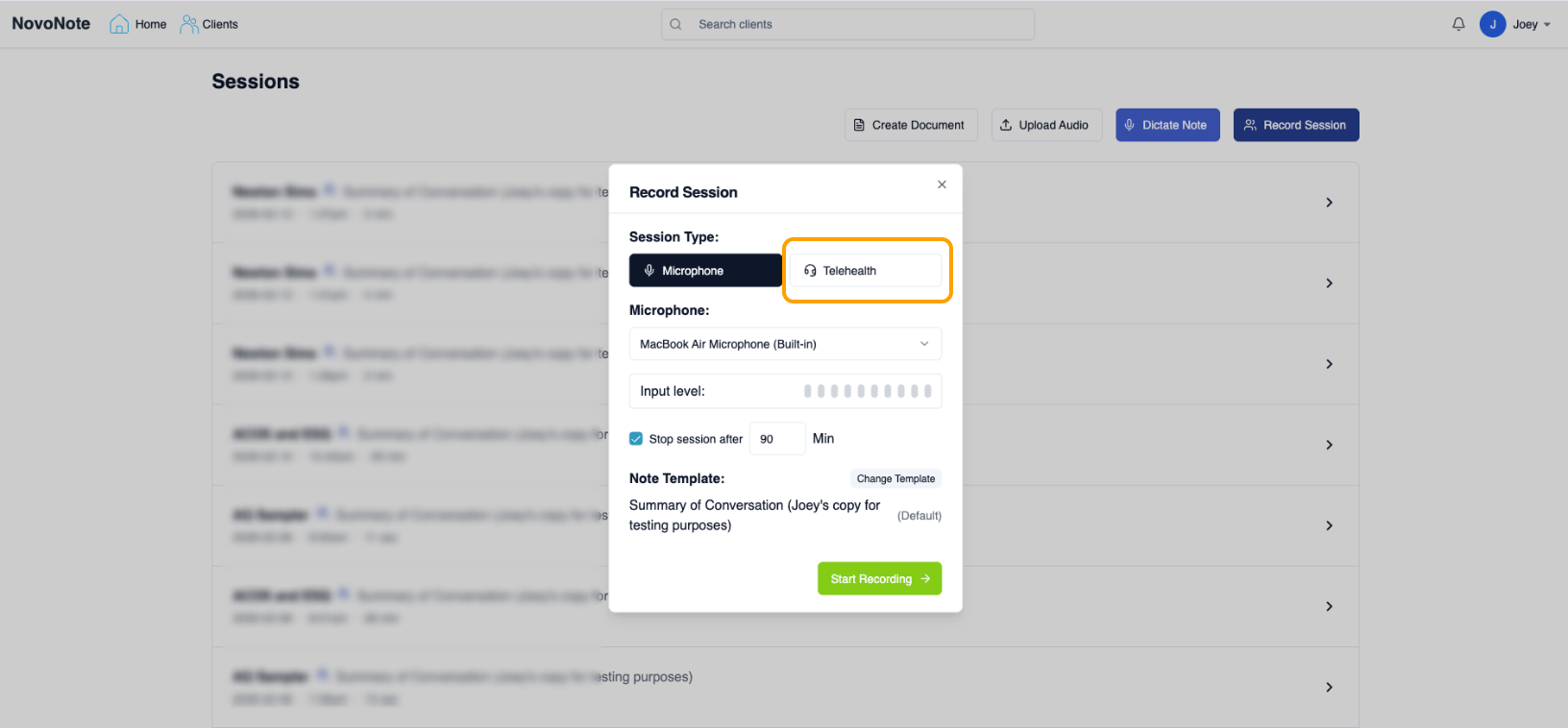
For more information on how the Telehealth Mode feature works, kindly refer to this user guide:
NovoNote - Telehealth Mode (New Feature)
If you've tried all of the troubleshooting steps above and the issue still persists, please contact our customer success team (info@novopsych.com), and a member of our team will assist further.
When reaching out, it also helps if you are able to copy and paste the URL address of the note from your browser so we can investigate the issue.
Was this article helpful?
That’s Great!
Thank you for your feedback
Sorry! We couldn't be helpful
Thank you for your feedback
Feedback sent
We appreciate your effort and will try to fix the article