If your audio recording fails, or if no transcripts or notes are generated in NovoNote, there may be a technical issue preventing proper audio capture or processing.
This guide will help you troubleshoot common challenges with failed recordings and provide steps to recover or regenerate your transcript/notes where possible.
1. Retry the Session
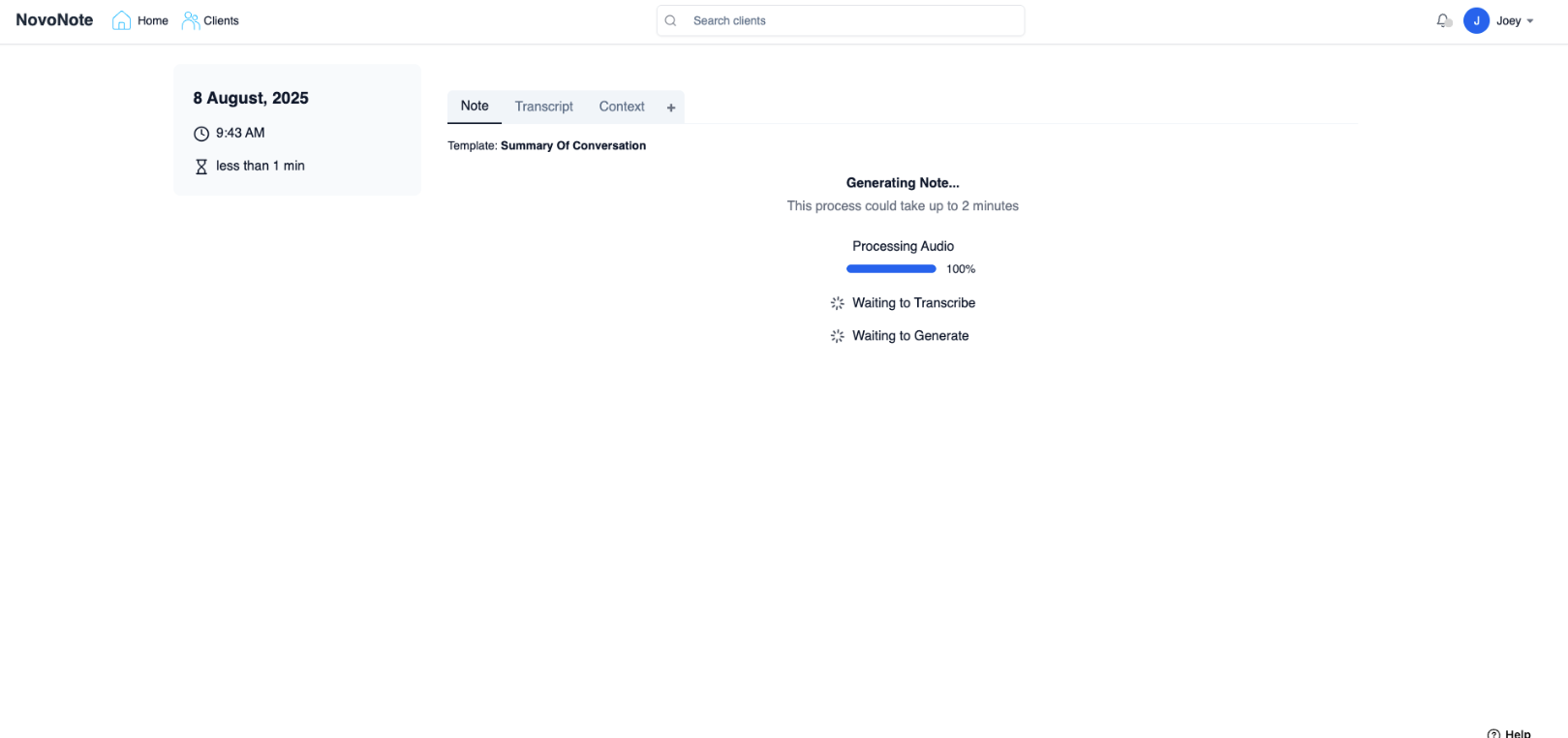
If the transcription fails to appear initially, use the Retry option. In most cases, this reprocesses the session content and regenerates the transcript/notes, provided the audio content was successfully captured during the session.
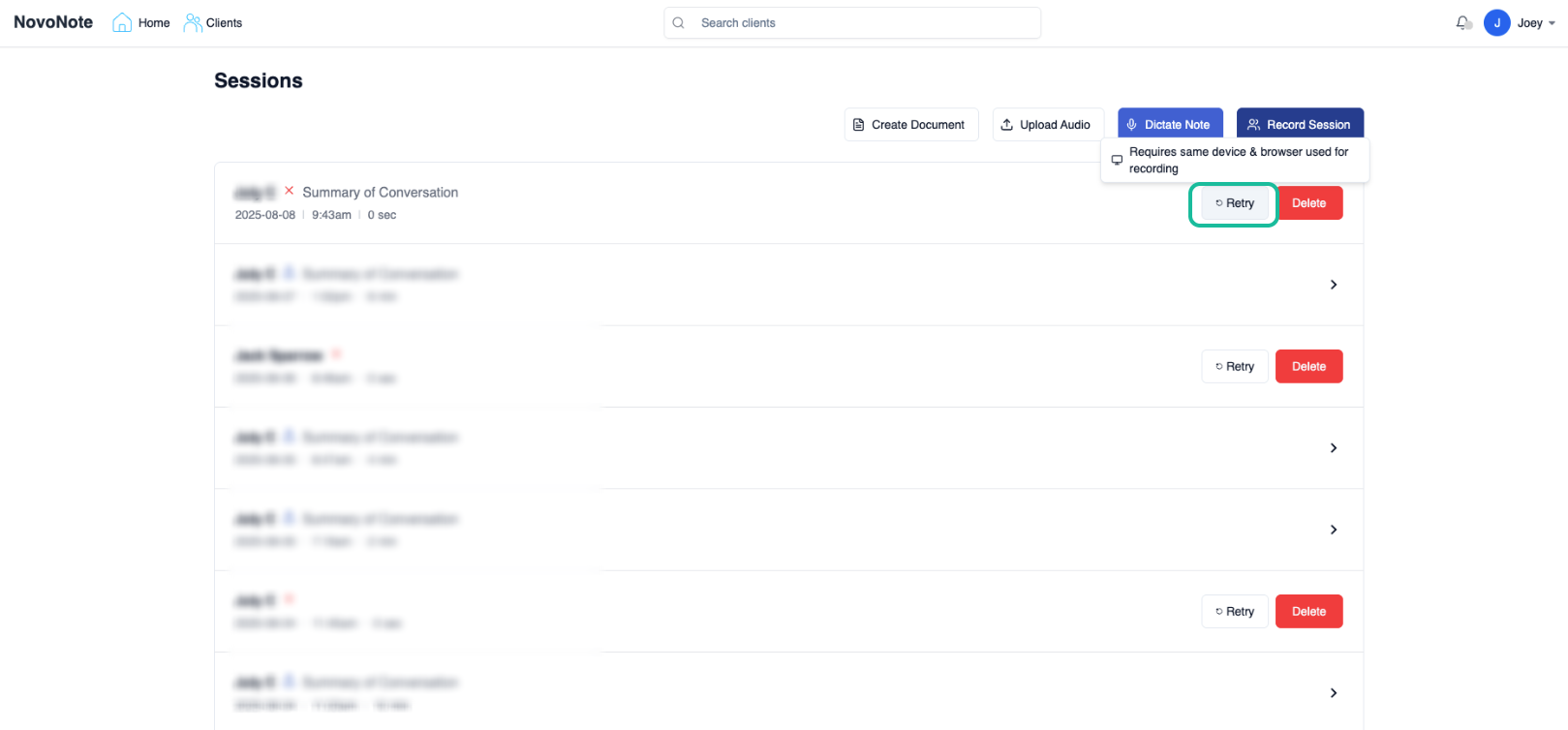
Important:
Always use the same/original device where the recording took place when trying.
Retrying on a different device may not work, as the necessary audio data is linked to the original device.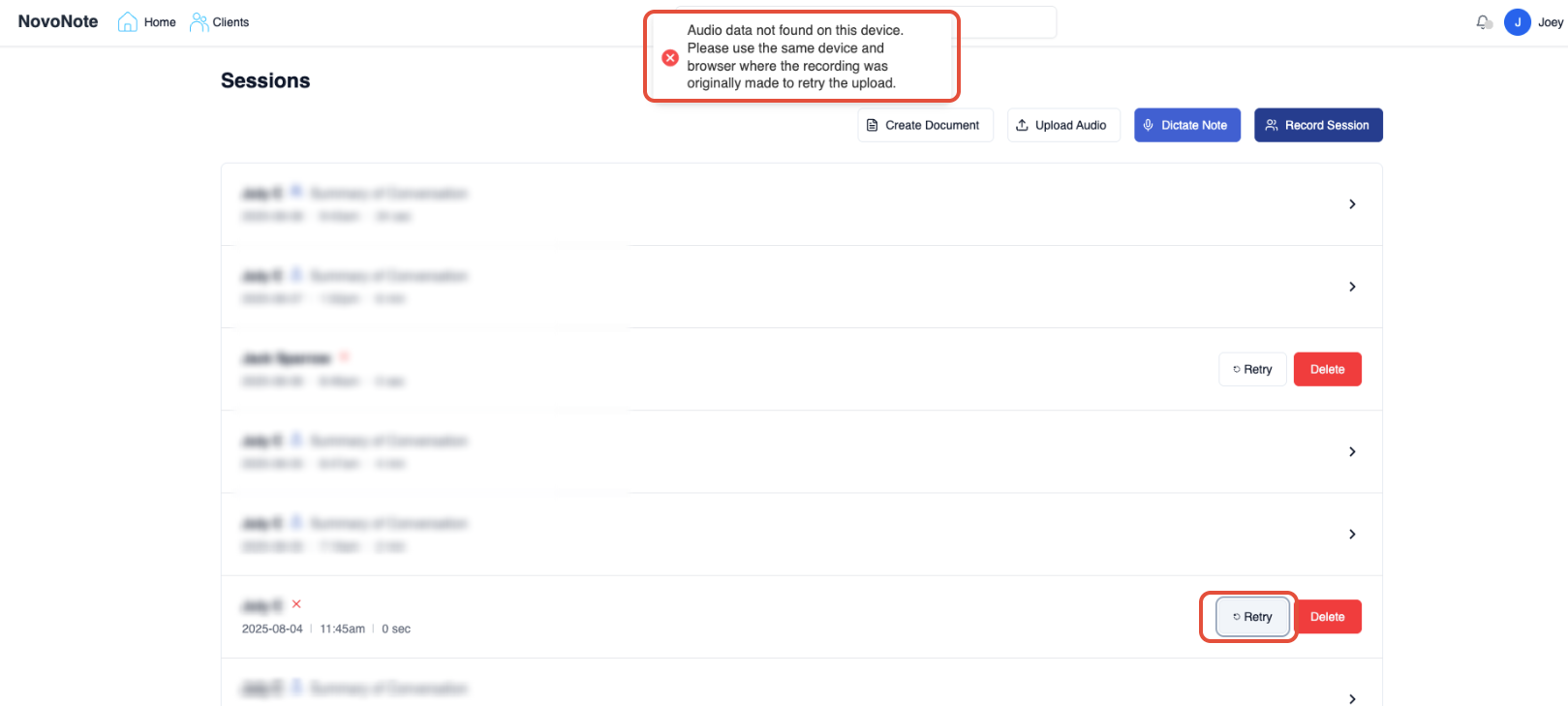
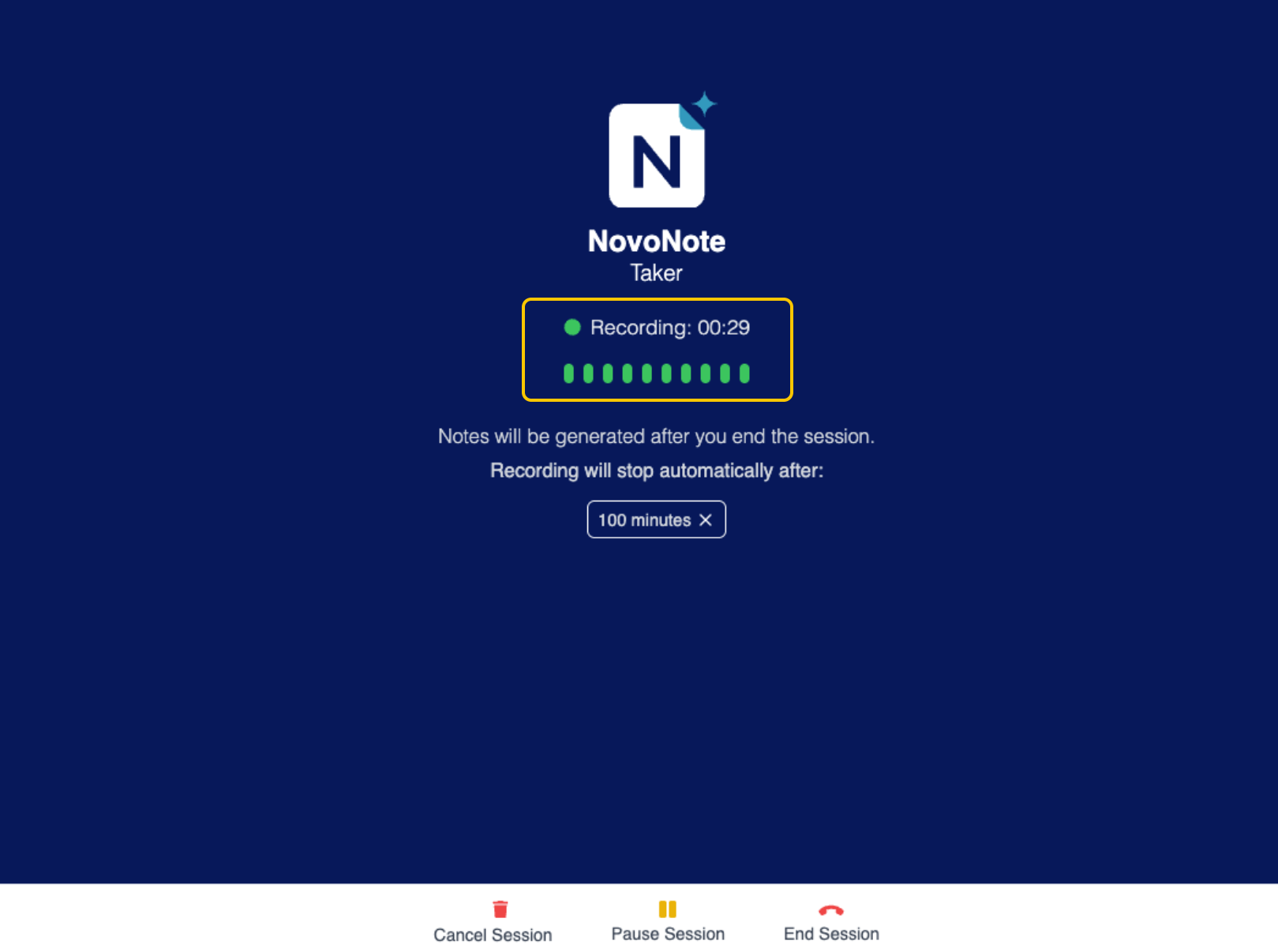
If, after retrying, no notes are generated, one possible reason is that no audio was captured during the session. Before starting a session, always check that the microphone is actively detecting and picking up audio from both sides of the conversation (this is indicated by the green bar moving during speech).
Helpful Tips
Prevent Device "Sleep Mode" & Screen/Tab Inactivity
If your device goes to sleep or the screen becomes inactive during a session, the microphone may stop capturing audio, leading to incomplete/empty transcripts.
To prevent this from happening, we recommend the following:
Adjust Power Settings:
Ensure your device is set to "Never Sleep" or has a long screen-timeout duration during sessions.- Keep the Tab in Focus:
NovoNote uses a feature called Wakelock to help keep your screen active during a session recording. However, this only works if the NovoNote tab is open and in the foreground (not minimised). Avoid Minimising Tabs:
If the browser is minimised or NovoNote runs in a background tab, the Wakelock feature may not work correctly. This can affect the microphone when the screen becomes inactive.
That said, if you’ve tried all of the above and are still experiencing issues, feel free to get in touch with us and provide the session details (client initials, date/time, and any relevant screenshots or screen recordings), and we’ll be happy to assist with further troubleshooting.Alternative: Use the "Upload Audio" feature (pre-record audio)
- Record the session on a separate device (e.g., using your phone’s voice recorder or a dedicated recording device).
- After the session, upload the audio file using the "Upload Audio" functionality in NovoNote to generate a transcription. This ensures you always have a copy of the audio.
Many users opt to record longer sessions using their phone recording apps on their devices, with the popular ones being Voice Memos (IOS) and Voice Recorder (Android). We are continuously working on permanent fixes and improvements to enhance the NovoNote experience. Our team is dedicated to identifying areas where we can make the platform even better, and we regularly release updates to improve functionality, performance, and overall user satisfaction.
We value your feedback and suggestions, as they play a crucial role in helping us prioritise these updates. Feel free to reach out to us at info@novopsych.com - we're here to listen and ensure that NovoNote meets your needs in the best possible ways. Was this article helpful?
That’s Great!
Thank you for your feedback
Sorry! We couldn't be helpful
Thank you for your feedback
Feedback sent
We appreciate your effort and will try to fix the article