Occasionally, users may notice that a note does not fully generate. This will be evident when the note is incomplete (cutting off midway through a sentence) or when the note does not appear at all.
This may be due to a one-off processing error and can often be resolved by regenerating the note.
Steps to Regenerate a Note
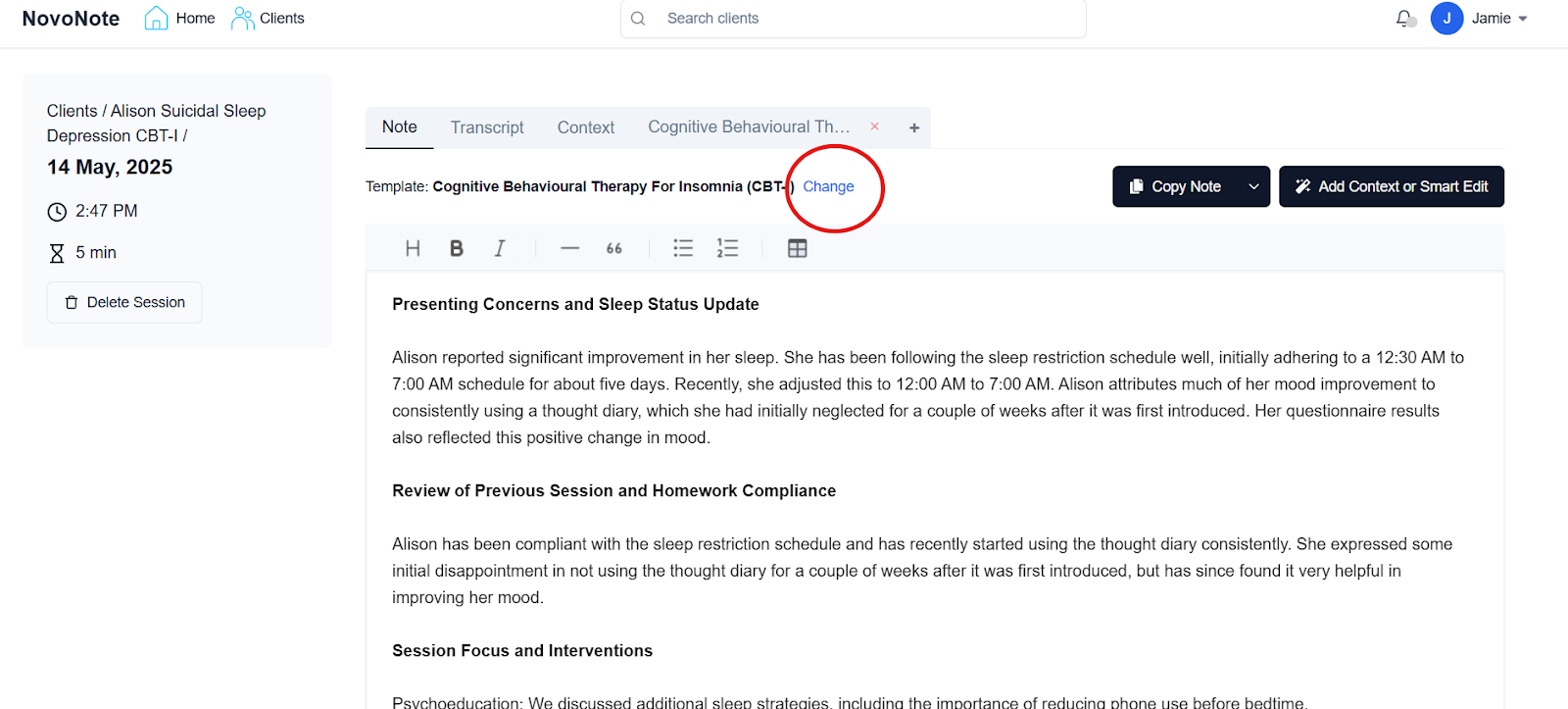
1. On the note screen, locate the “Change” button
2. When the Change Template box appears, select the same type of template that was originally used to produce your note, and click on “Generate Note”
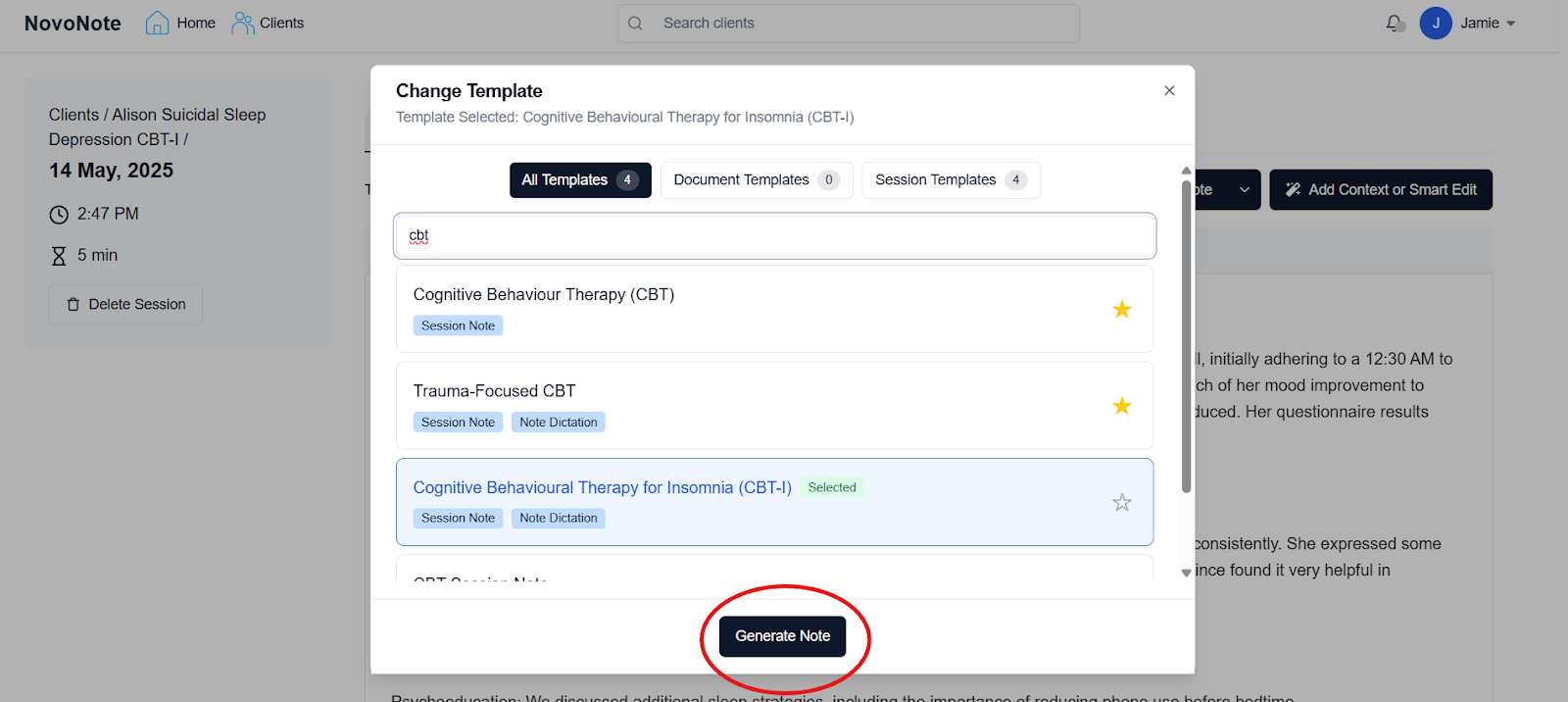
The note will be regenerated and will usually appear in full, as normal.
However, if the note is still incomplete or does not appear, please contact our customer success team (info@novopsych.com).
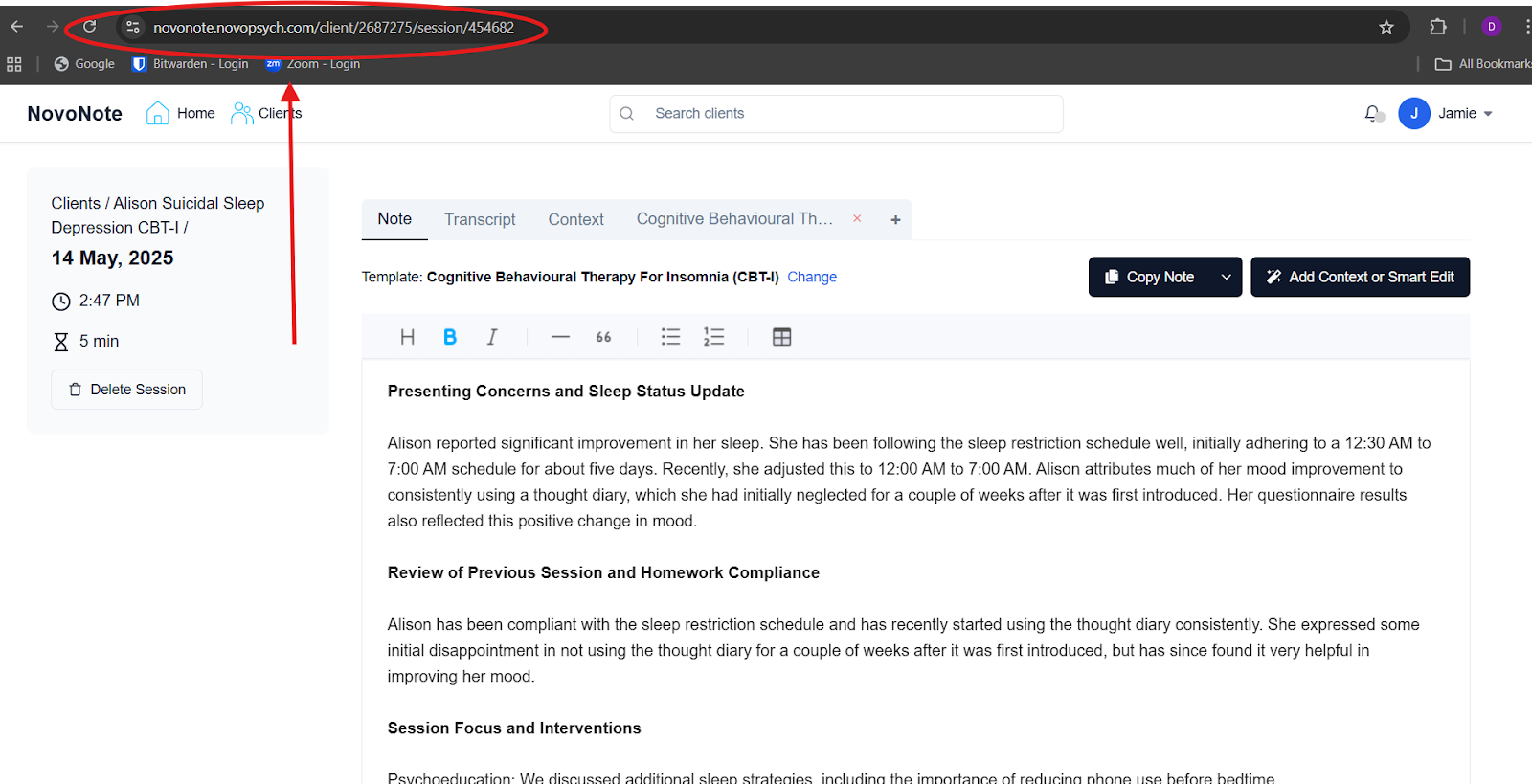
When reaching out, it helps if you are able to copy and paste the URL address of the note from your browser so we can investigate the issue.
Was this article helpful?
That’s Great!
Thank you for your feedback
Sorry! We couldn't be helpful
Thank you for your feedback
Feedback sent
We appreciate your effort and will try to fix the article