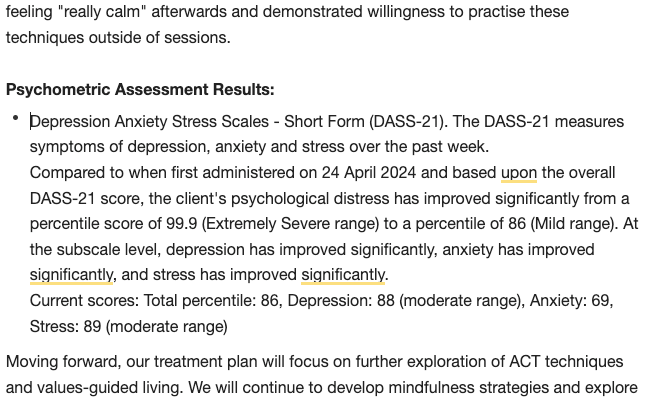
NovoNote now integrates with NovoPsych’s psychometrics platform, allowing you to seamlessly administer, score, interpret, and then synthesise assessment results directly into your session notes and documents. Just follow the simple steps below.
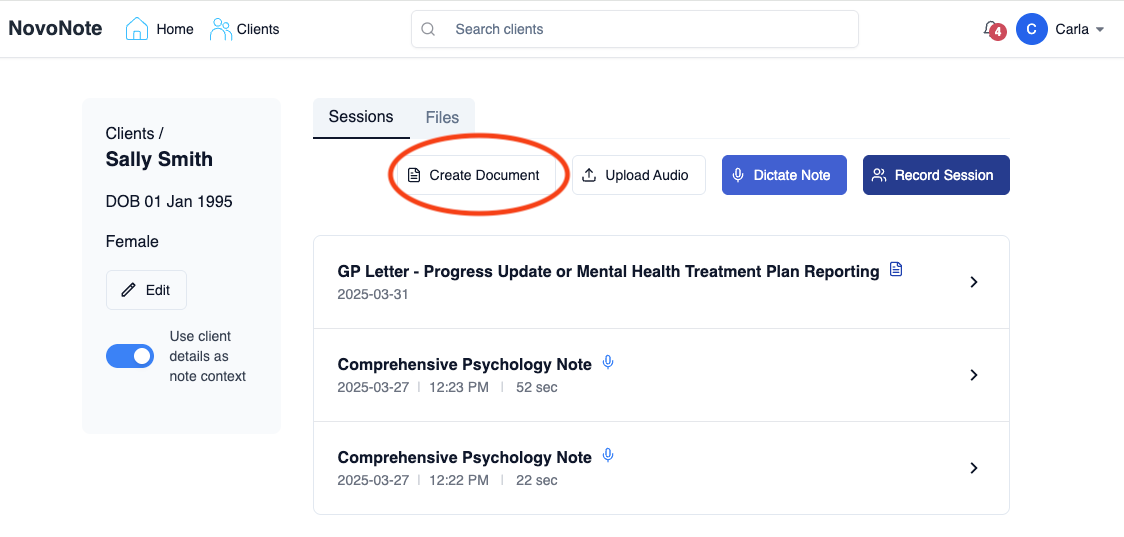
1. Open a client in NovoNote and select the “Create Document” button.
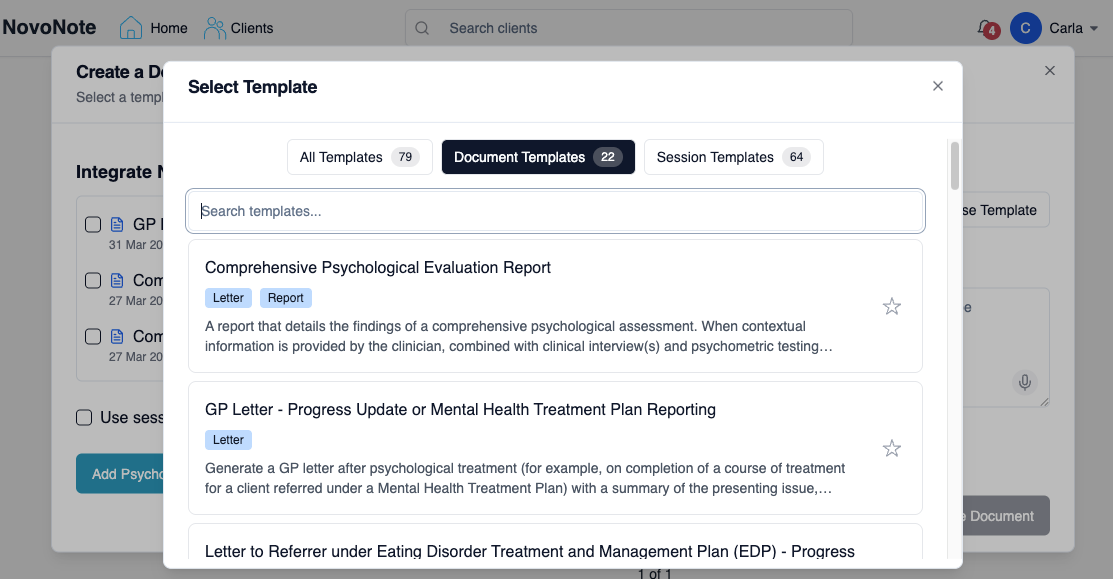
2. Select the relevant template for the document you would like to produce
(for example, GP Letter - Progress Update or Mental Health Treatment Plan Reporting).
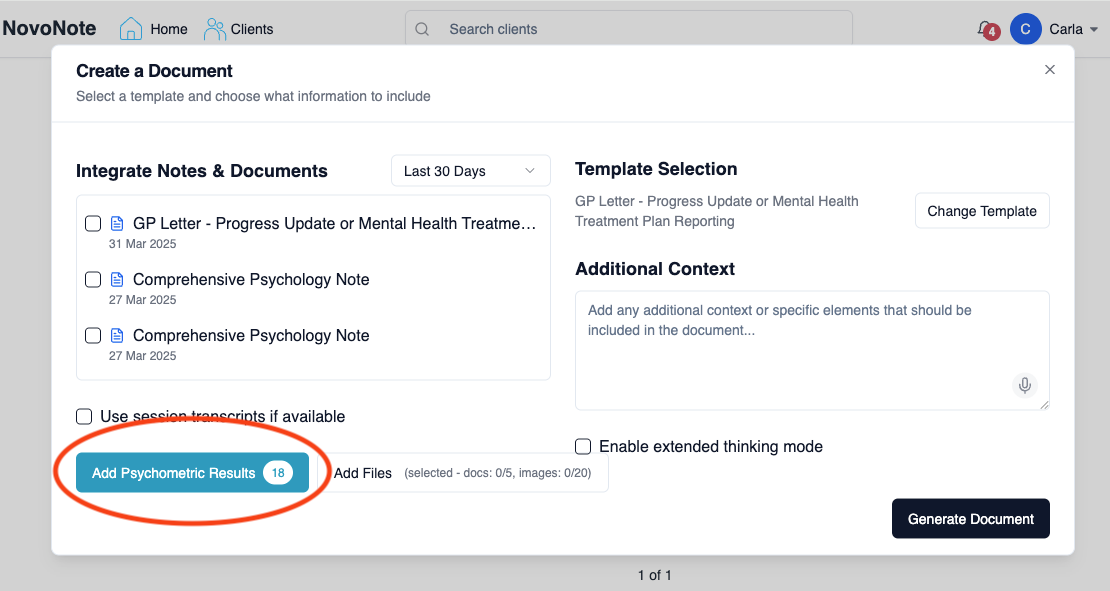
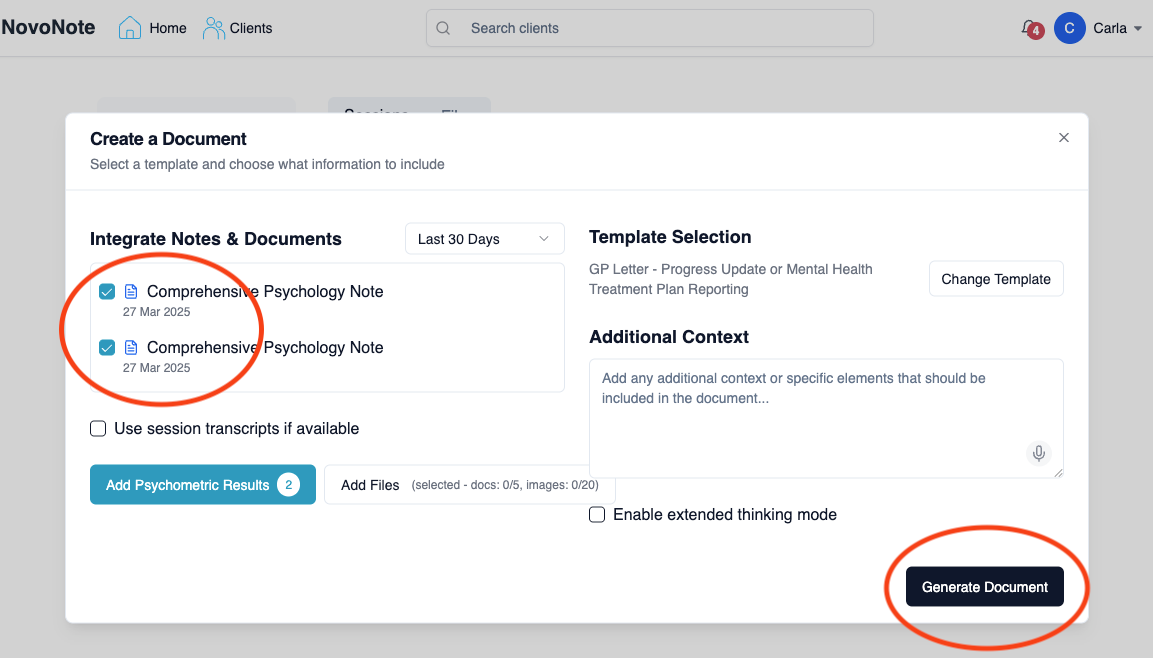
3. Click the “Add Psychometric Results” button, and use the tick boxes to select those you wish to have included.
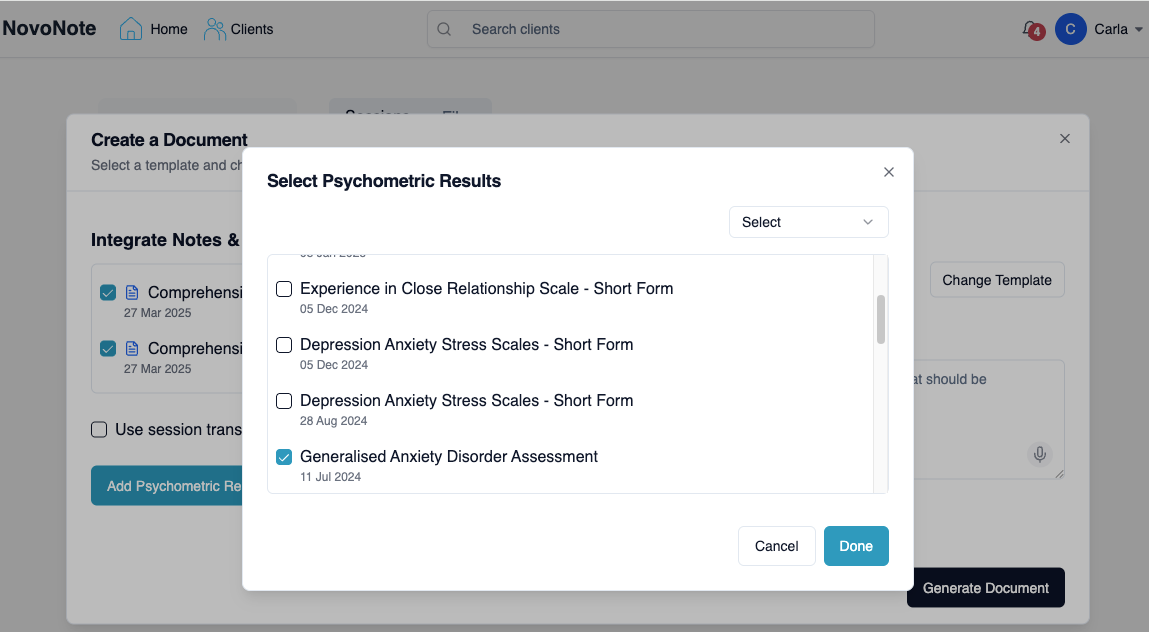
Note that in this pop-up window, the history of all assessments this client has completed in NovoPsych will be displayed, including multiple administrations of the same measure. Any measures this client has completed in NovoPsych will automatically be displayed here for you.
4. Use the tick box to let NovoNote know which previous session notes and documents you’d like integrated. Then, click “Generate Document” and find your clients’ psychometric results integrated into your chosen document ✅
⬇︎
In the screenshot above, you might notice that you can:
Use the “Additional Context” field to add any instructions or additional information you’d like integrated into your document
Also see: Add Context or Smart EditUse the “Add Files” button to upload any related documentation you’d like NovoNote to integrate - a letter of referral from a GP, for example.
Was this article helpful?
That’s Great!
Thank you for your feedback
Sorry! We couldn't be helpful
Thank you for your feedback
Feedback sent
We appreciate your effort and will try to fix the article