This guide will help you learn how to craft effective prompts when creating new templates or modifying existing NovoNote templates.
In NovoNote, prompts live inside templates.
- Templates store the structure, formatting and intended purpose of a note. They act as a container for how a note is organised and what type of output is produced.
- Prompts are specific instructions written inside the template that tell NovoNote exactly what to generate and how to generate the content of notes.
The quality of AI-generated notes depends on how clearly and specifically these prompts are written. Well-crafted prompts improve note quality and accuracy, preserve your preferred style and structure, and reduce the need for post-editing.
1. Start with an Existing Template or Create Your Own
Before writing or editing any prompt instructions, decide whether you will:
- Create a new template from scratch. This can be helpful if none of NovoNote's templates fit your exact needs.
- Modify an existing NovoNote template and save your own version. This can be helpful if a template is close to what you want but needs tweaks (e.g., rewording sections, adding subheadings).
Tip: Always check our template library first! Many clinicians find our pre-built templates meet their needs straight away.NovoNote's growing library of clinician-designed templates covers a range of clinical documentation needs, including, but not limited to:
- GP letters
- CBT formulations
- ADHD and Autism assessments
- Risk assessments
- Session summaries
- EMDR session notes
- ACT session notes
- Supervision templates
- Summary of conversation templates
Our templates are continuously updated based on clinician feedback, so you can use them as a reliable starting point.
For a step-by-step guide to creating a new template or modifying an existing template, see: Adding/Customising a New Note Template2. Design the Elements of your Template
Add AI Context Instructions ( )
AI instructional prompts are written in round brackets. They provide NovoNote with context and guidance, and tell it how to handle and display information.
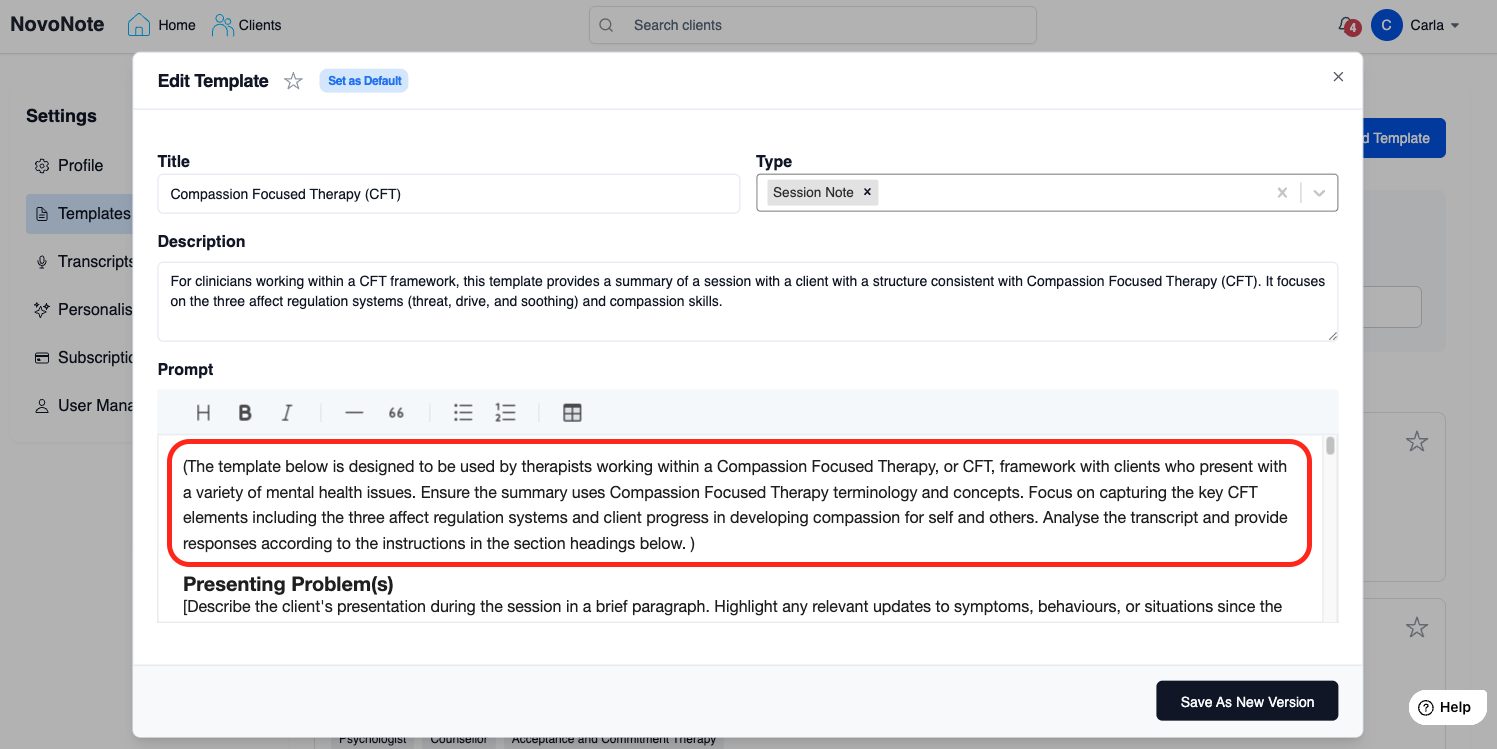
You can add instructions at the start of a template for context and global guidance, as shown above, or at any point throughout a template to provide guidance for a specific section.
Example prompt:

”(Use a CBT framework and highlight unhelpful thinking styles in red.)”
Add Headings
Headings define the structure of the note output. Use the formatting toolbar to change the headings to H3 (or your preferred style). This signals to NovoNote that these are headings to be used in your output and is an important step for providing structure to your note or document.
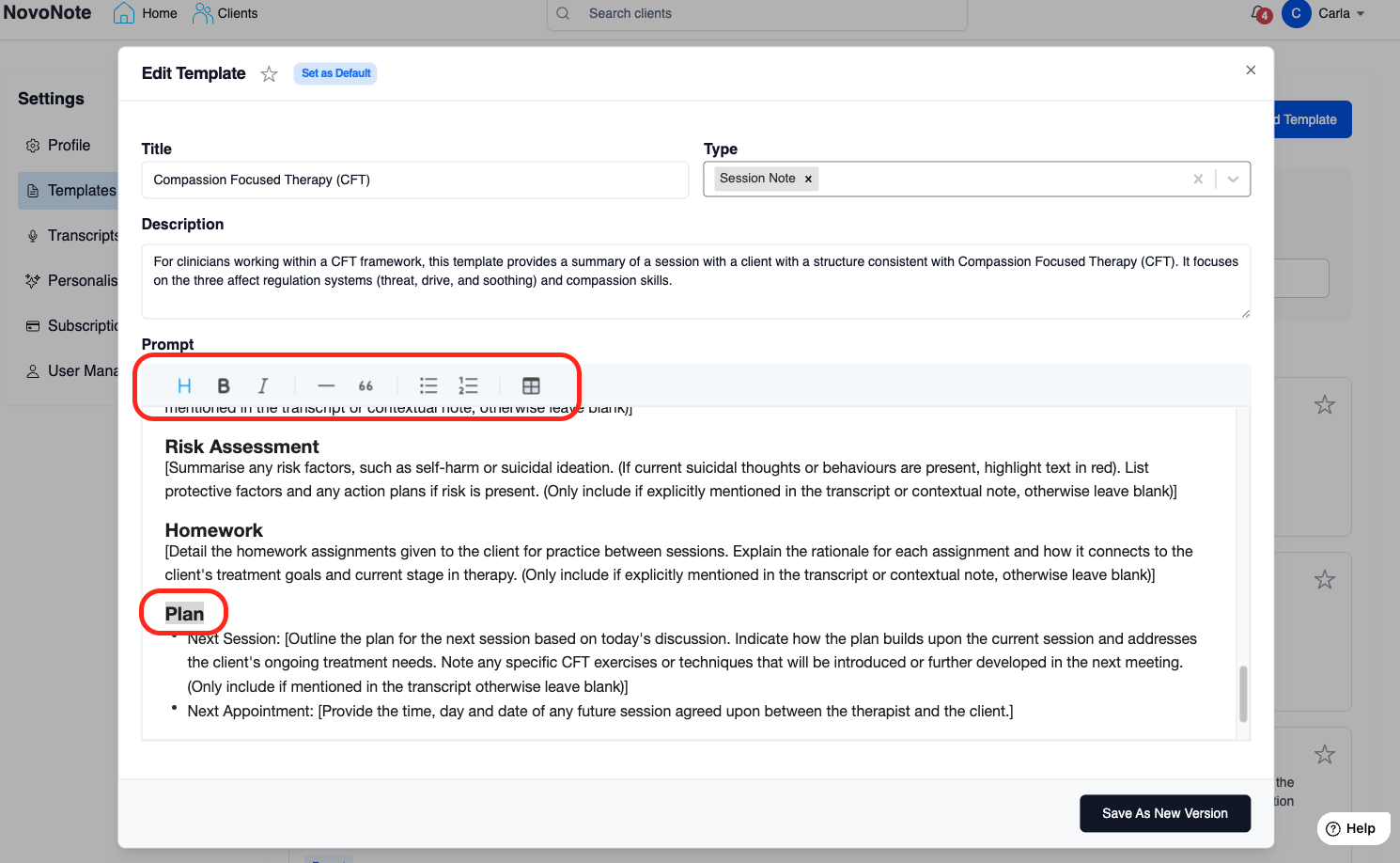
Tip: Formatting makes a difference! How you format your template shapes formatting of the note output. For example, if you want bullet points in your notes, use bullet points in your template. If you prefer narrative text in your notes, remove bullet formatting.Add Placeholder Instructions [ ]
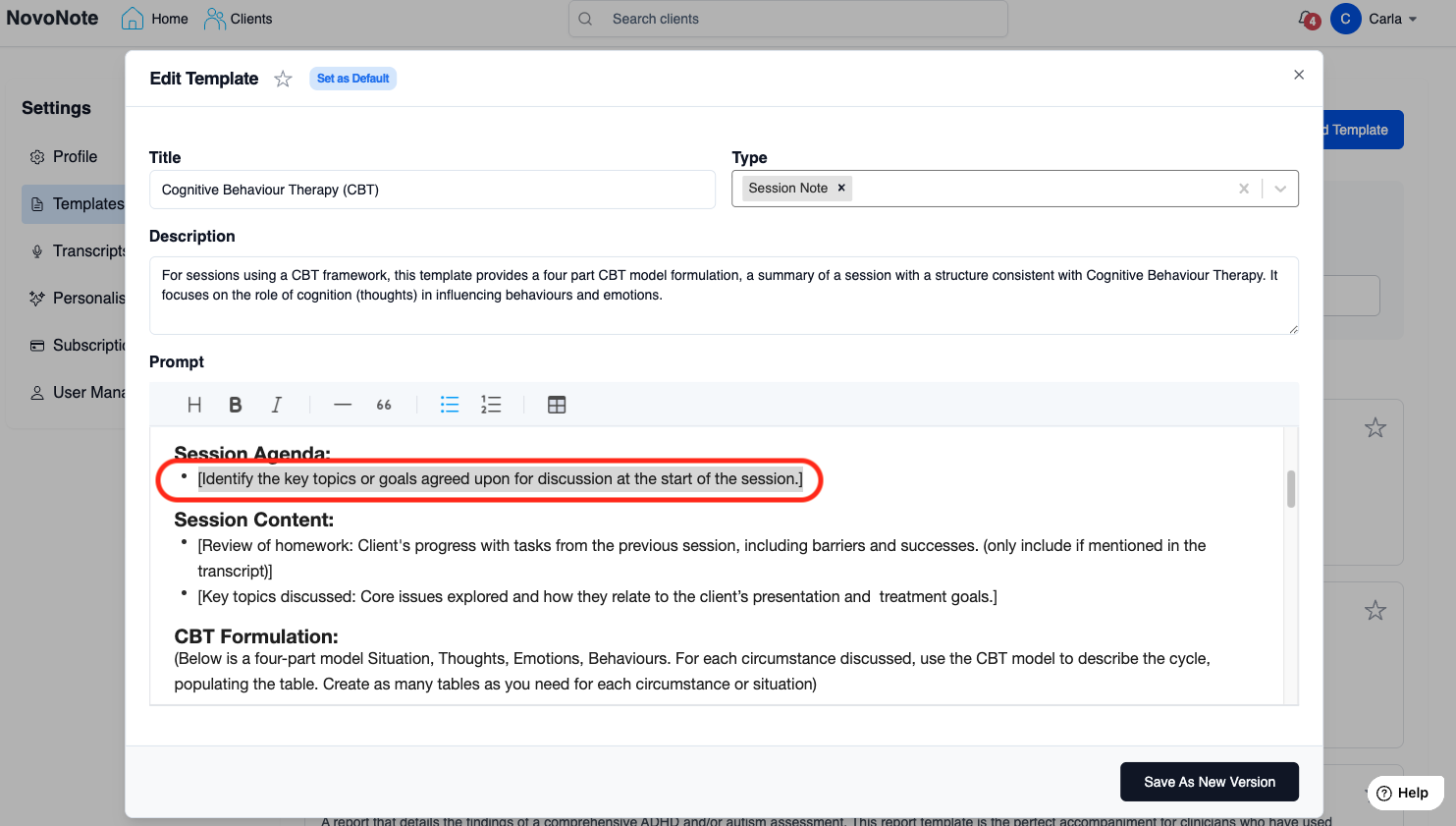
Instructions placed in square brackets [ ] tell NovoNote what specific information to generate at that location and act as a placeholder.
Example prompts:

"Re: [Print the client’s first and last name]"

”[Summarise the client’s progress in 2-3 sentences before listing key insights.]”
Use Clear, Specific Prompts
When writing prompts, clarity is crucial. A well-crafted prompt:
- Directs the AI – Ensures NovoNote understands the exact structure and details you need.
- Sets the Tone – Defines the level of detail, formality, and professional language style.
- Establishes Structure – Guides the AI in organising the content effectively.
For example, if you would like to create a template that documents a session summary for a parent, after a child session, you can use the following prompt to guide NovoNote’s output:
Example Prompt:
“Generate a brief, parent-friendly summary of today’s session. Include a general update on the child’s progress, key themes discussed, and any relevant strategies or recommendations for home. Keep the language clear, supportive, and appropriate for a non-clinical audience. Include subheadings like: Progress Update, Key Themes, Home Strategies, Homework”
Why this works:
✔ Ensures the summary is concise and easy to understand.
✔ Focuses on progress, key themes, and practical takeaways.
✔ Uses accessible, supportive language suitable for parents.
3. Test and refine
If the generated notes don’t meet expectations, tweak the instructions and test again.
Start experimenting today! Tweak an existing template to fit your style.
Was this article helpful?
That’s Great!
Thank you for your feedback
Sorry! We couldn't be helpful
Thank you for your feedback
Feedback sent
We appreciate your effort and will try to fix the article