Changing Notes Templates on NovoNote
As a mental health professional, clear, structured documentation is essential for providing high-quality care and maintaining compliance with clinical standards. NovoNote's professionally designed templates help streamline your note-taking, ensuring that records remain comprehensive, consistent, and clinically relevant.
Novonote's Template Library is continually updated to support a wide range of therapeutic modalities and documentation and reporting needs.
Selecting the right template allows you to:
✅ Enhance clarity – Maintain well organised, easy-to-read notes.
✅ Ensure consistency – Align documentation with professional and regulatory standards.
✅ Improve efficiency – Reduce administrative burden so you can focus on client care.
How to Change a Notes Template
1. Open the Session
Select a session with a note already generated.
Click on "Change" next to the current Template name.

2. Browse and Select the Template
Browse the available templates in the selection panel.
Choose the template that best suits the session or documentation requirement.
Tip: For more information to help you make your selection, explore the descriptions and examples in NovoNote's Template Library. Here you can review our growing range of templates, designed to support a wide range of therapeutic modalities, and reporting and documentation needs. 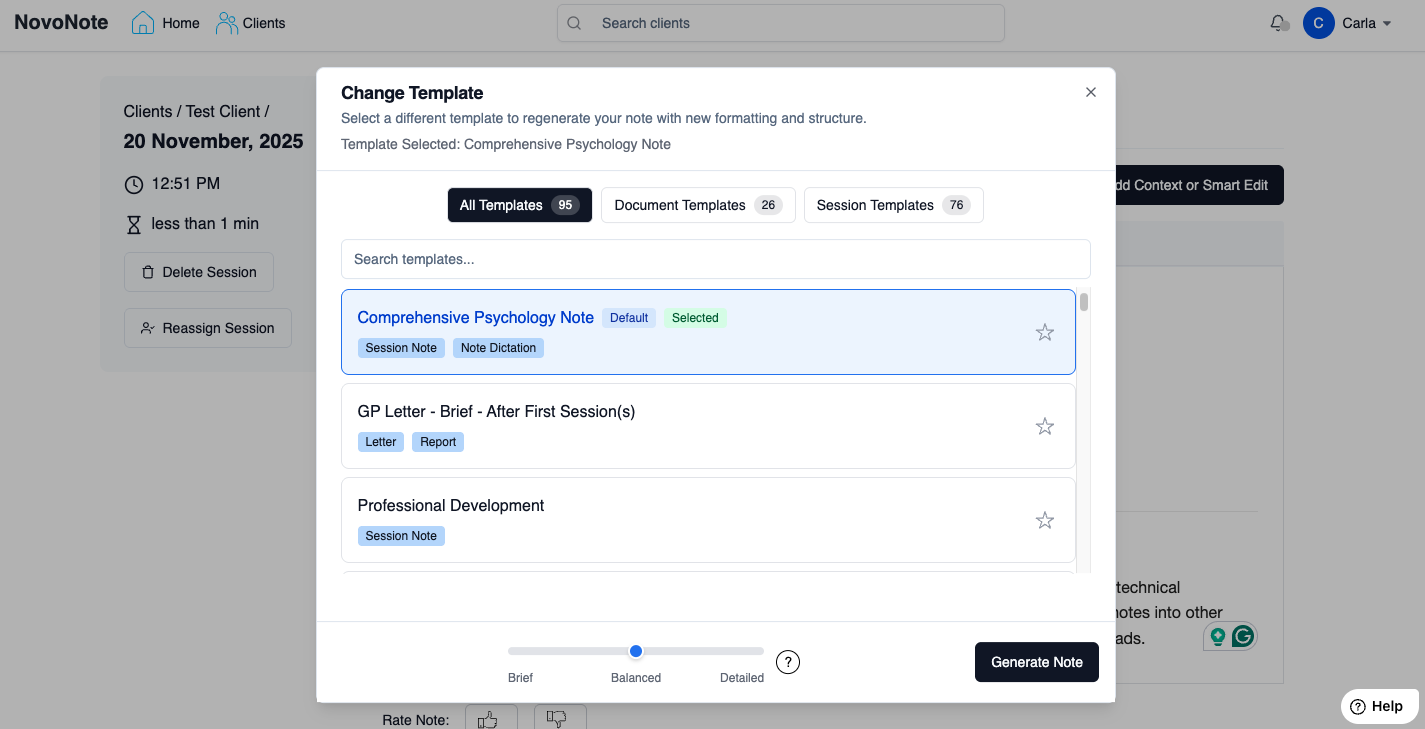
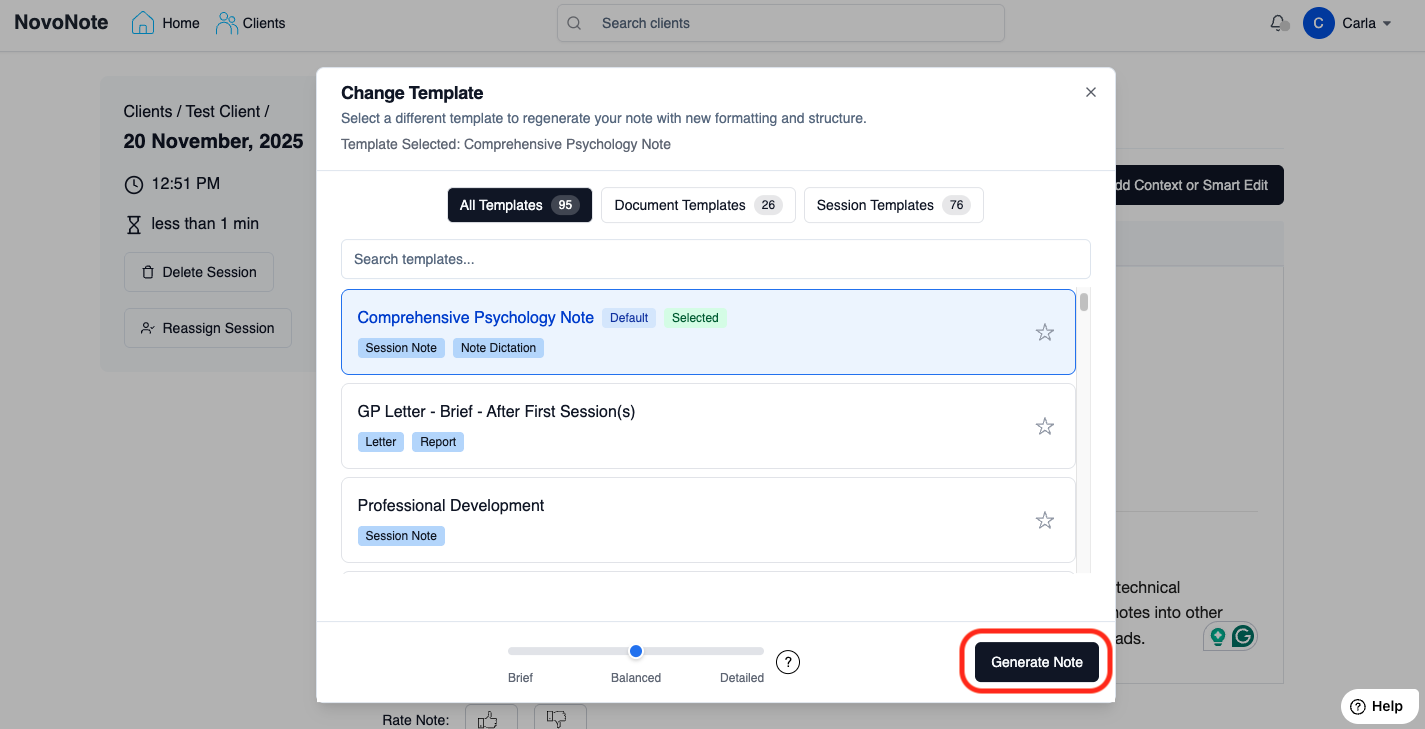
3. Apply the Template
- Click "Generate note" to apply the template.
- NovoNote will regenerate the note based on the structure and style of that template.

4. (Optional) Amending the Notes
After the notes have been regenerated, you can edit the content as needed.
You may add additional sections, remove irrelevant content, or modify headings to suit your session.
Changes will be automatically saved.

Quick demo - How to select and apply a note template in under a minute:
Was this article helpful?
That’s Great!
Thank you for your feedback
Sorry! We couldn't be helpful
Thank you for your feedback
Feedback sent
We appreciate your effort and will try to fix the article