Contextual notes lets you type observations directly into NovoNote while a session is being recorded. Your notes are time-stamped and then integrated with the transcript, so NovoNote draws on both when generating your session note. This means richer, more comprehensive documentation, without any additional write-up after the session.
Using contextual notes is straightforward, following the simple steps below:
1. Open a client file and start a recording as usual
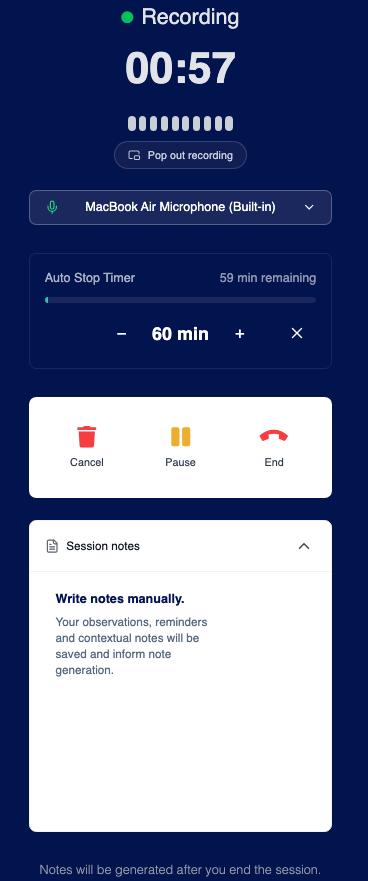
2. Record your notes and observations
As the session progresses, type your observations into the note panel on the recording page. Notes are automatically saved and time-stamped as you type.
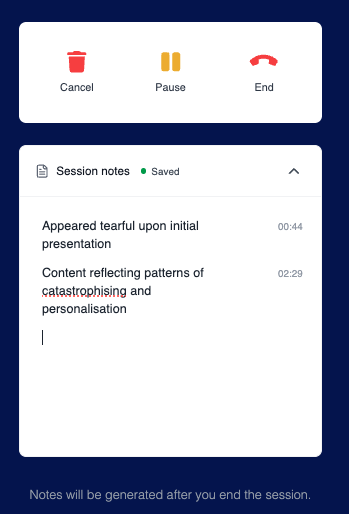
3. Finish recording and review
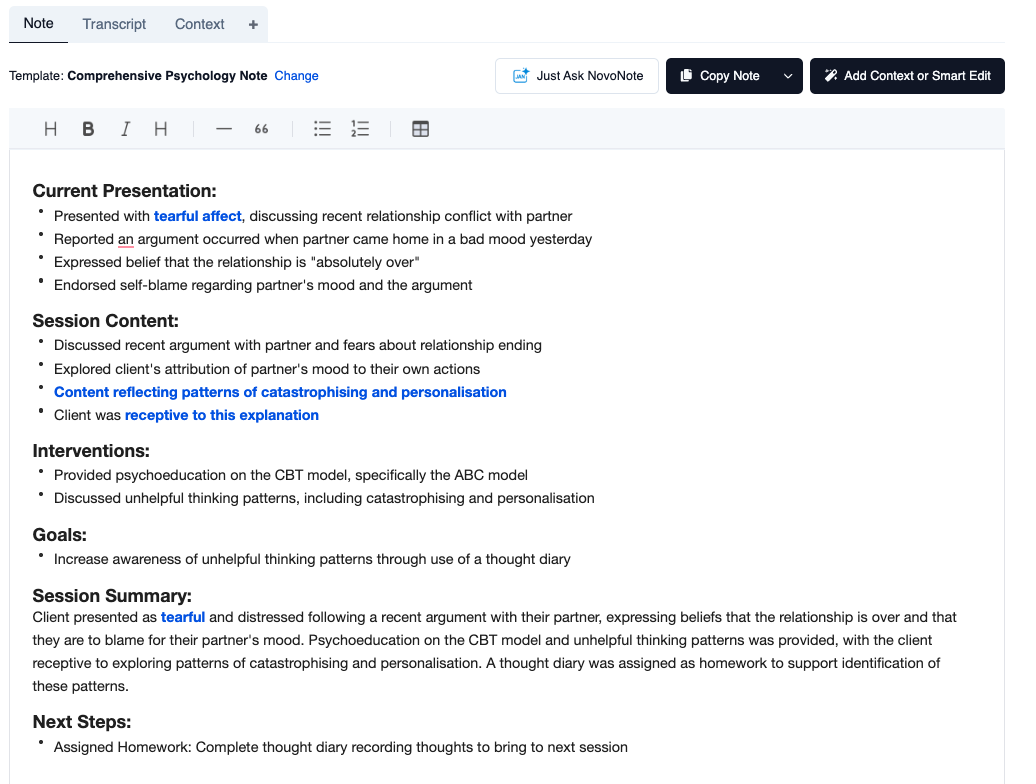
When the session is complete, NovoNote will generate your session note as usual, automatically synthesising your observations with the transcript, with no extra steps required.
In the generated output, any text synthesised from your notes will appear highlighted in blue text, so you can see at a glance exactly what the AI has drawn from your own observations and quickly review or edit those sections.
Was this article helpful?
That’s Great!
Thank you for your feedback
Sorry! We couldn't be helpful
Thank you for your feedback
Feedback sent
We appreciate your effort and will try to fix the article