Sharing custom note templates within a practice allows practice users to document clinical work using agreed frameworks that align with professional standards, clinical governance and compliance requirements.
The guide below will walk you through how you'll be able to share a custom template you've created with other clinicians on your Practice Plan. This allows colleagues to view and use the same template, supporting resource sharing and consistency across your practice.
Common use cases:
- To standardise documentation across a group practice or team
- To share a carefully designed or customised assessment, session note or letter template with colleagues
- To support onboarding of new clinicians using established templates
How to Share a Custom Template
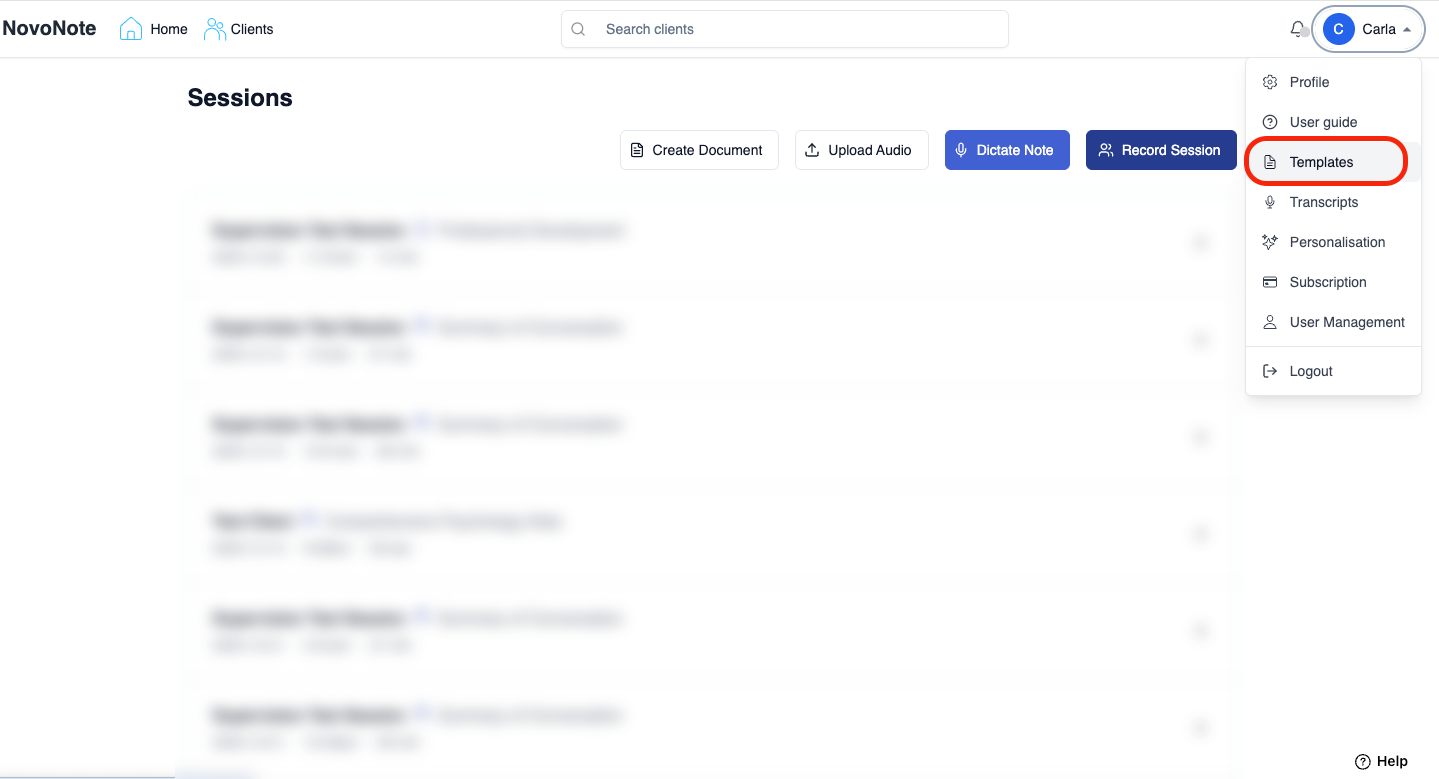
1. Navigate to "Templates" in the dropdown settings menu (tip: click on your name in the top right corner to open settings):
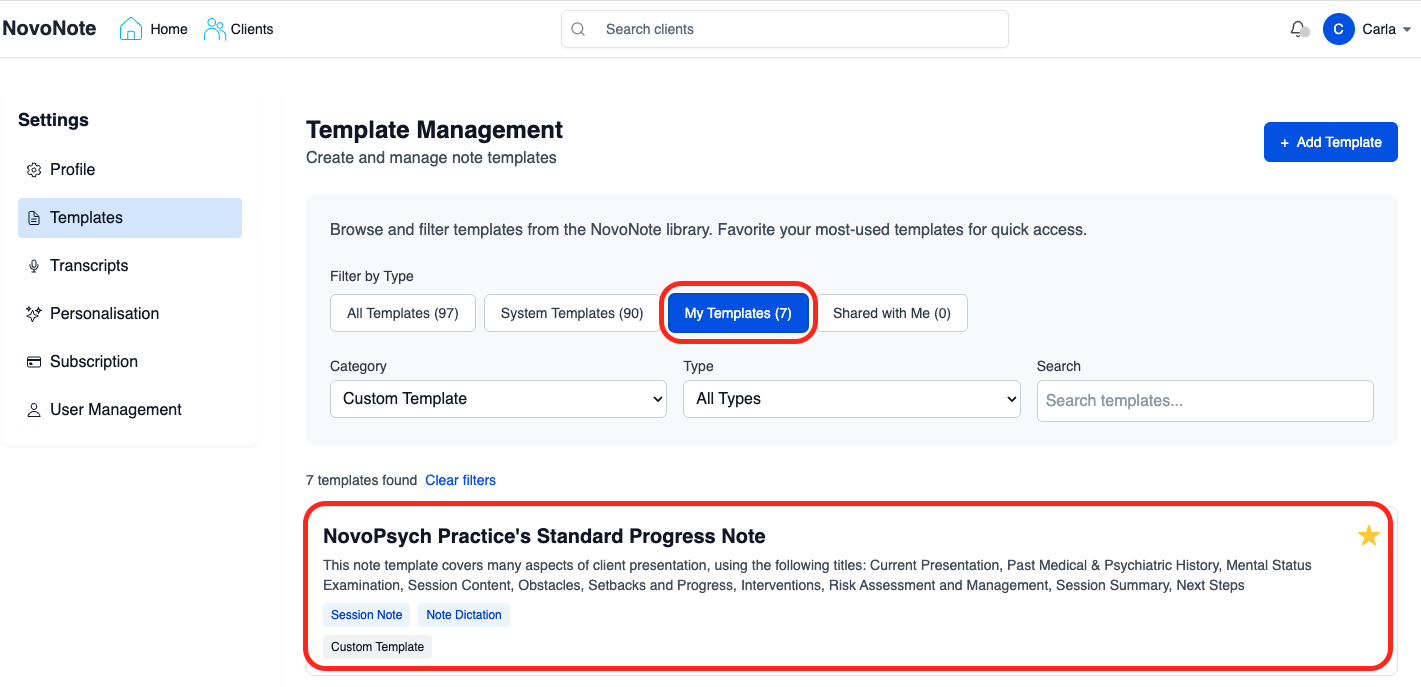
2. Select the custom template you wish to share:
3. Select the checkbox labelled "Share this template with practitioners in my practice" and Click "Save":
Account Managers & practitioners will be able to see the option to share templates - once enabled, all users within the practice are able to view and use the template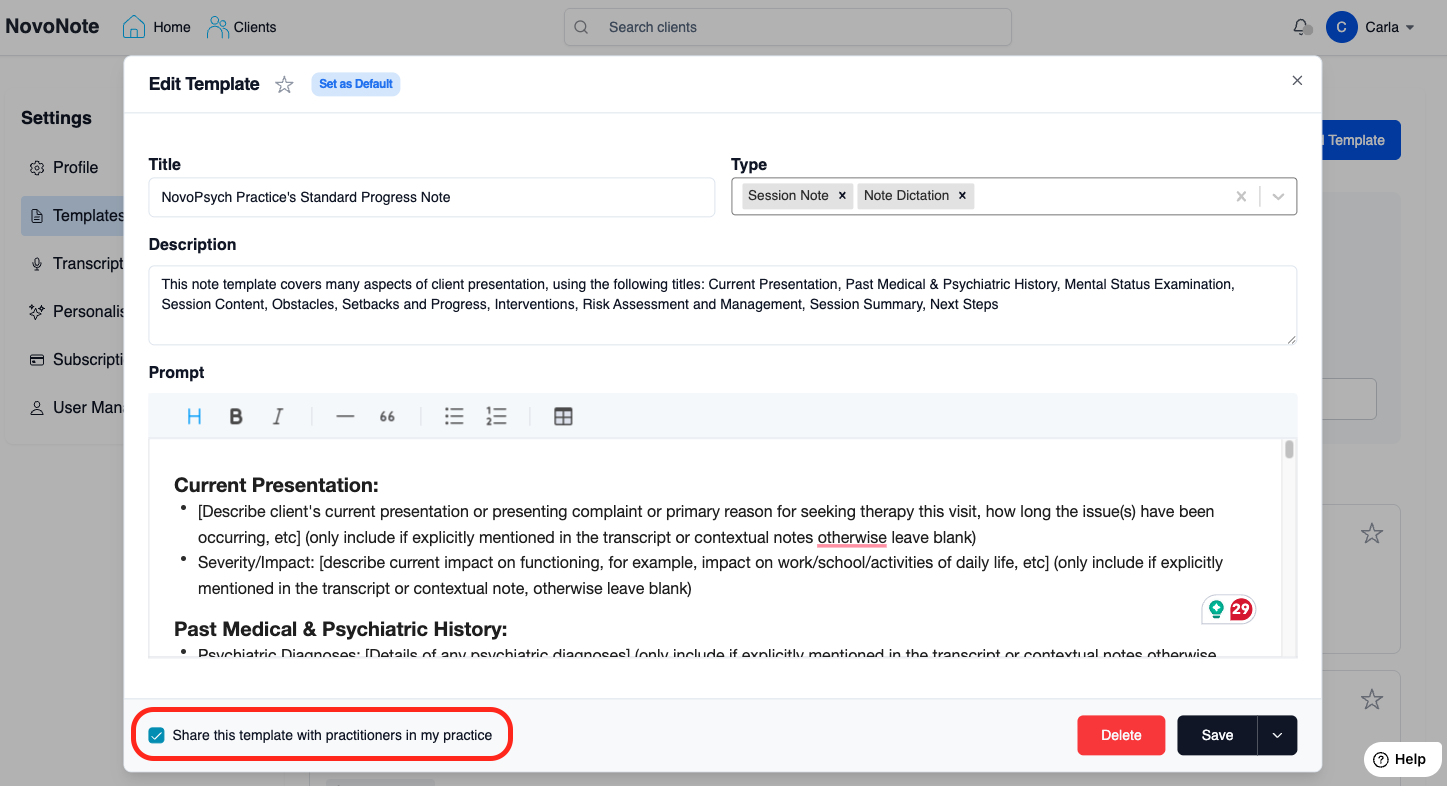
Clinicians within your Practice Plan will now be able to view the shared template in their template library by selecting the "Shared with Me" filter. The template will also be available for selection when recording a session.
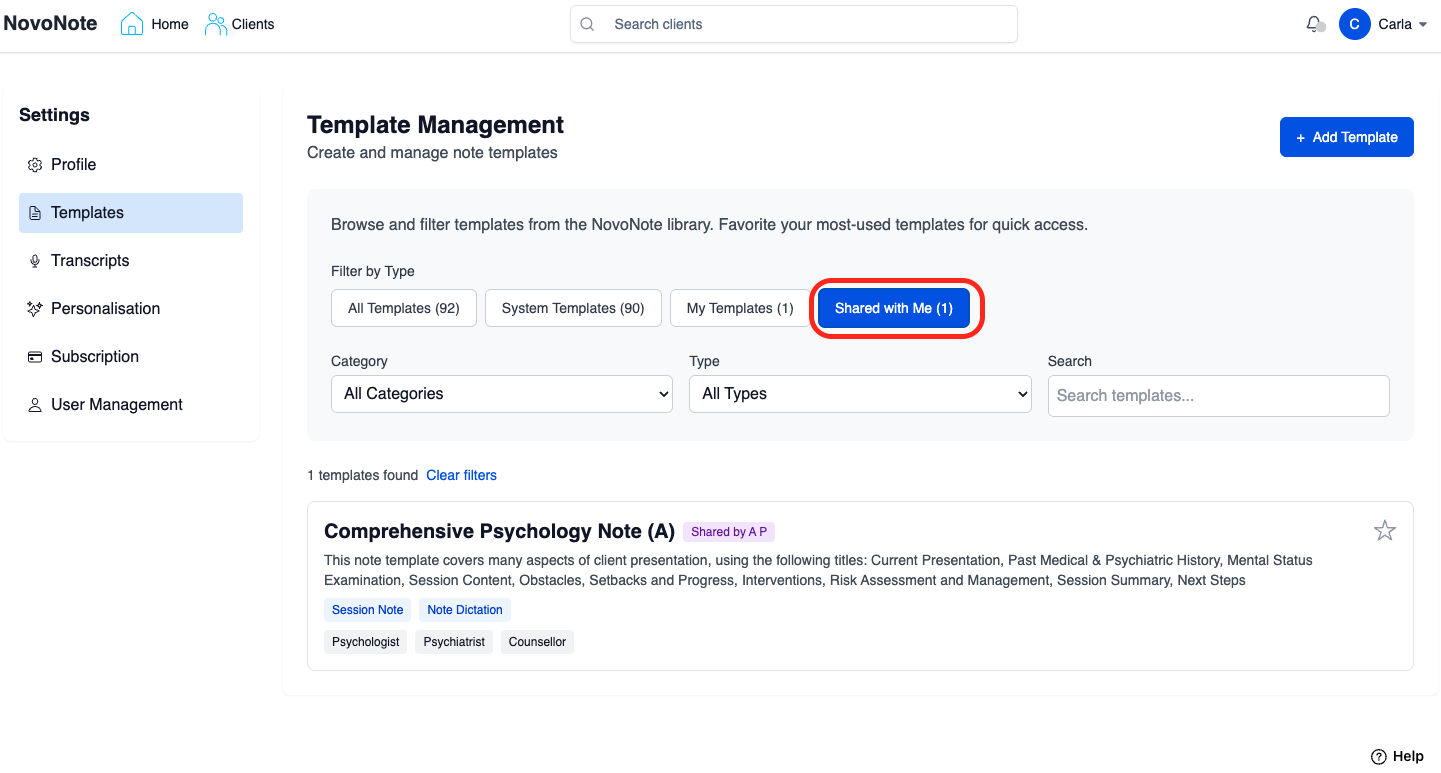
- All clinicians on the Practice Plan will be able to view and use the template, but cannot edit the original template if it is created by another user / Account Manager. If a clinician wants to make changes, they can save their own copy of the template.
- To remove shared access, simply select the template again then uncheck the same box "Share this template with practitioners in my practice" and click "Save".
- Note: Only clinicians on the same Practice Plan can access shared templates.
What Happens if the Original Template is Updated?
Any updates made by the original author are reflected for all clinicians who have access to the shared template.
Was this article helpful?
That’s Great!
Thank you for your feedback
Sorry! We couldn't be helpful
Thank you for your feedback
Feedback sent
We appreciate your effort and will try to fix the article