As a mental health practitioner, maintaining client confidentiality is a fundamental ethical and legal responsibility.
What is Identifiable Information?
Identifiable information refers to any data that can be used to recognise or trace an individual. This includes:
Names of individuals
Dates of Birth
Email Addresses
Organisation names
Addresses
Specific locations
Long number sequences
How to Redact Identifiable Information from Transcripts
1. On your NovoNote Home page, select the dropdown arrow option next to your name on the top right:

2. Then, select the "Transcripts" option from the dropdown list:

3. You will then see options to redact names of individuals, dates of birth and other identifiable information (email addresses, organisation names, addresses, specific locations, long number sequences) from the transcriptions.
- You may select all 3 options or any combination of your choice:

Once selected, all transcripts generated will redact the sensitive information.
This ensures that client confidentiality is protected, and sensitive information remains secure at all times.
Important Notes About Redaction
Redaction applies only to transcripts
At the moment, redaction settings affect transcripts only. This means that client names and other details may still appear in the generated notes, even if transcript redaction is turned on.
How to remove identifiable information from notes
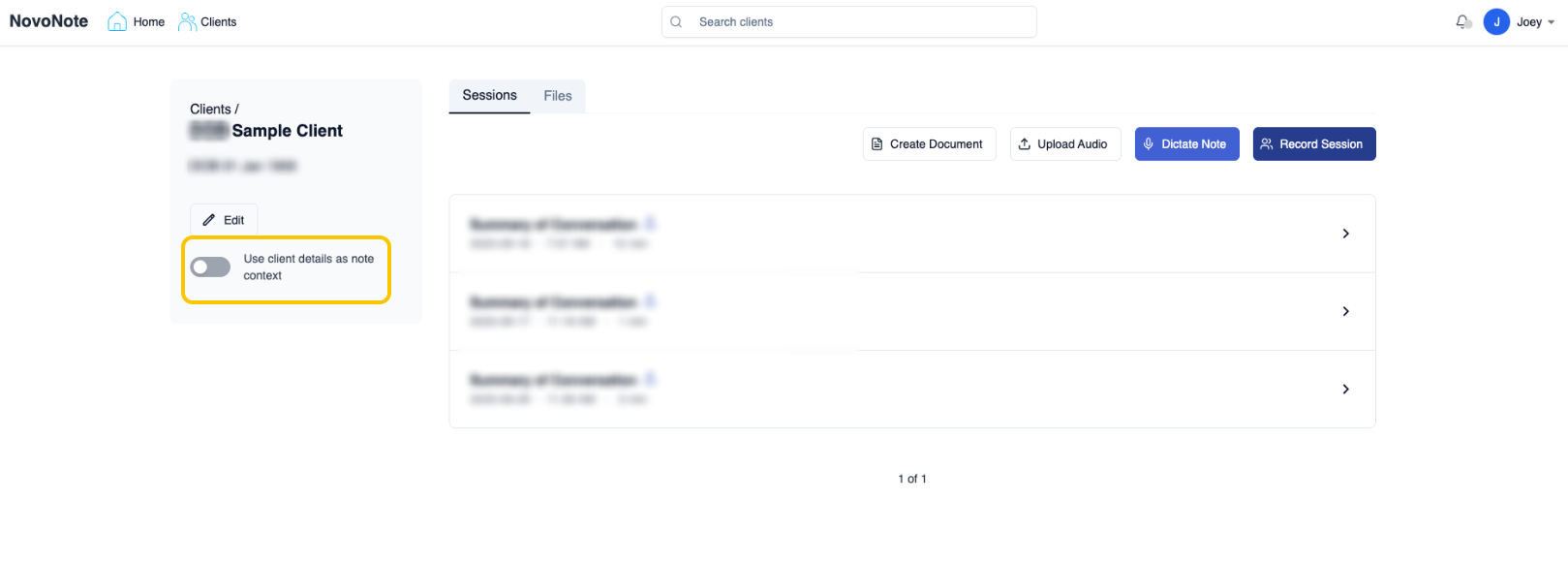
If you prefer that client details are also removed from notes, you can disable the following options in your settings:
Use client’s name, age, and gender to help produce more personalised documents
(this setting will be applied to all clients across your entire account)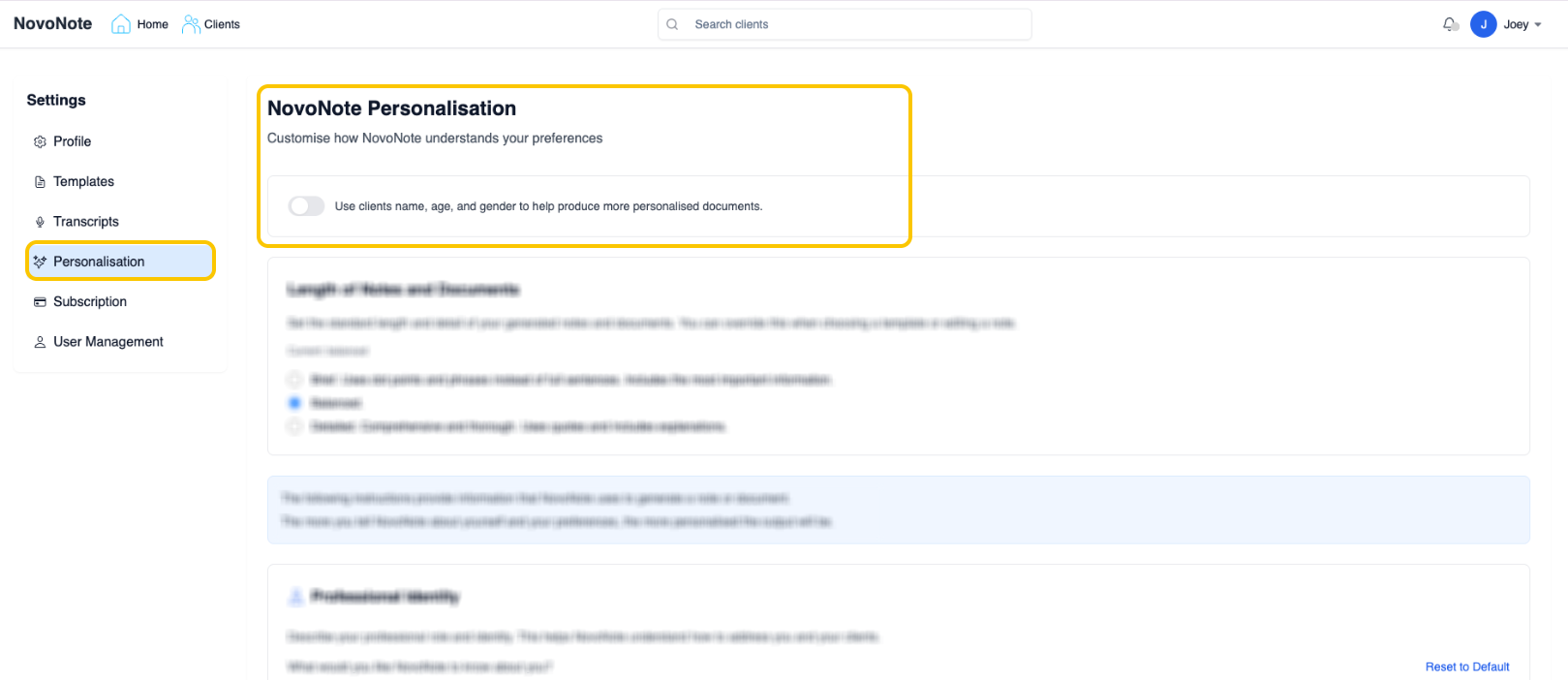
Use client details as note context (this setting will only be applied for the specific client)
Was this article helpful?
That’s Great!
Thank you for your feedback
Sorry! We couldn't be helpful
Thank you for your feedback
Feedback sent
We appreciate your effort and will try to fix the article