Managing your payment method
Users can easily manage the payment information for their subscription directly within the account settings. The primary card on file will be used for all purchases and recurring subscription renewals. When a new card is added, it automatically becomes the default primary card, and all future payments will be charged to this primary payment method.
All payments are made via the card on file using secure, encrypted technology. For your privacy and security, your full card details are only accessible to you.
Steps to Update Your Payment Method
Open Profile Menu and Select Invoices: On your NovoNote account, click on your name in the top right corner of the screen and select "Invoices".
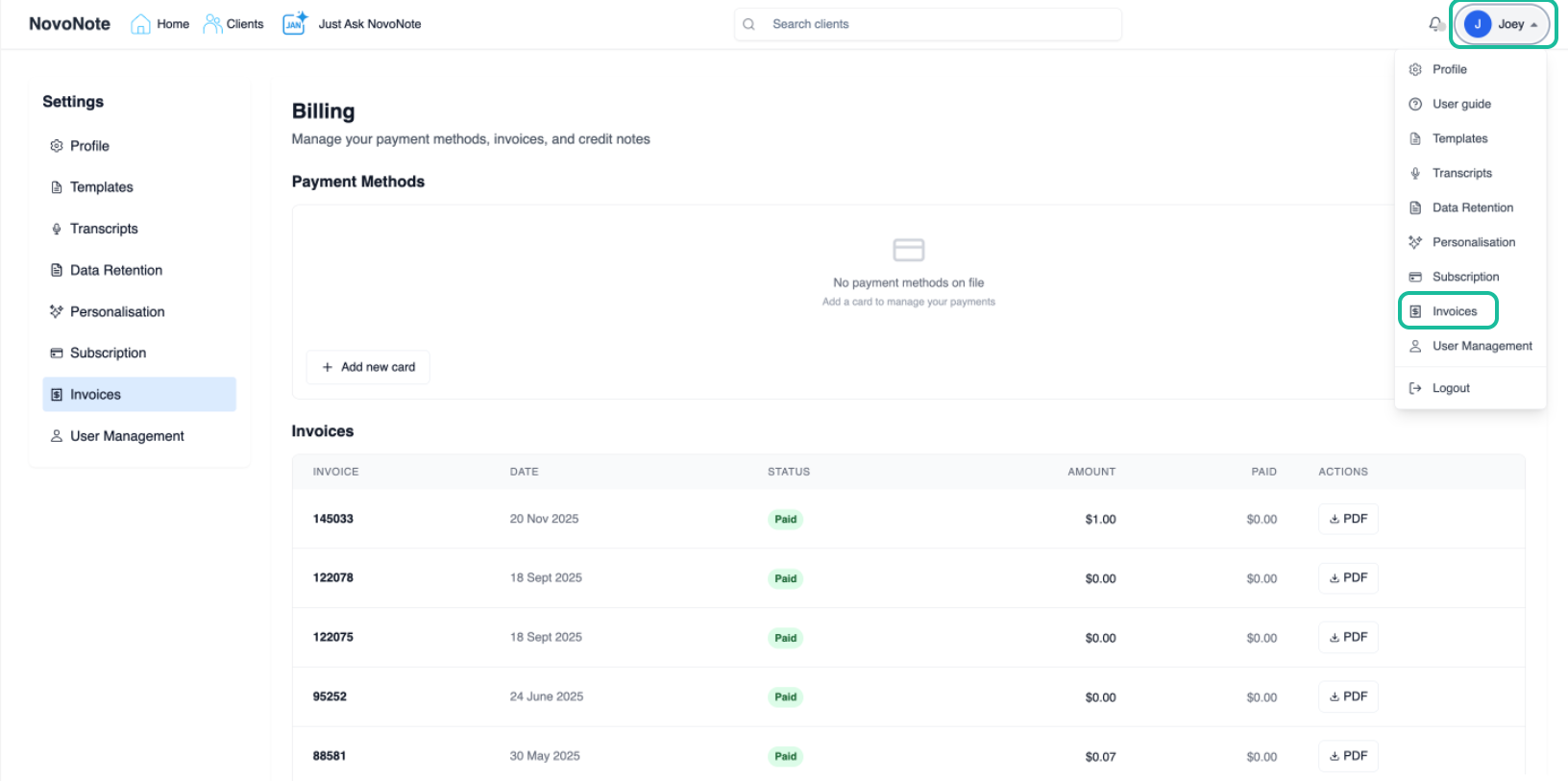
- Select Payment Methods: Locate the "Payment Methods" section and select "Add new card."
Currently, accepted payment methods include:
- Visa
- Mastercard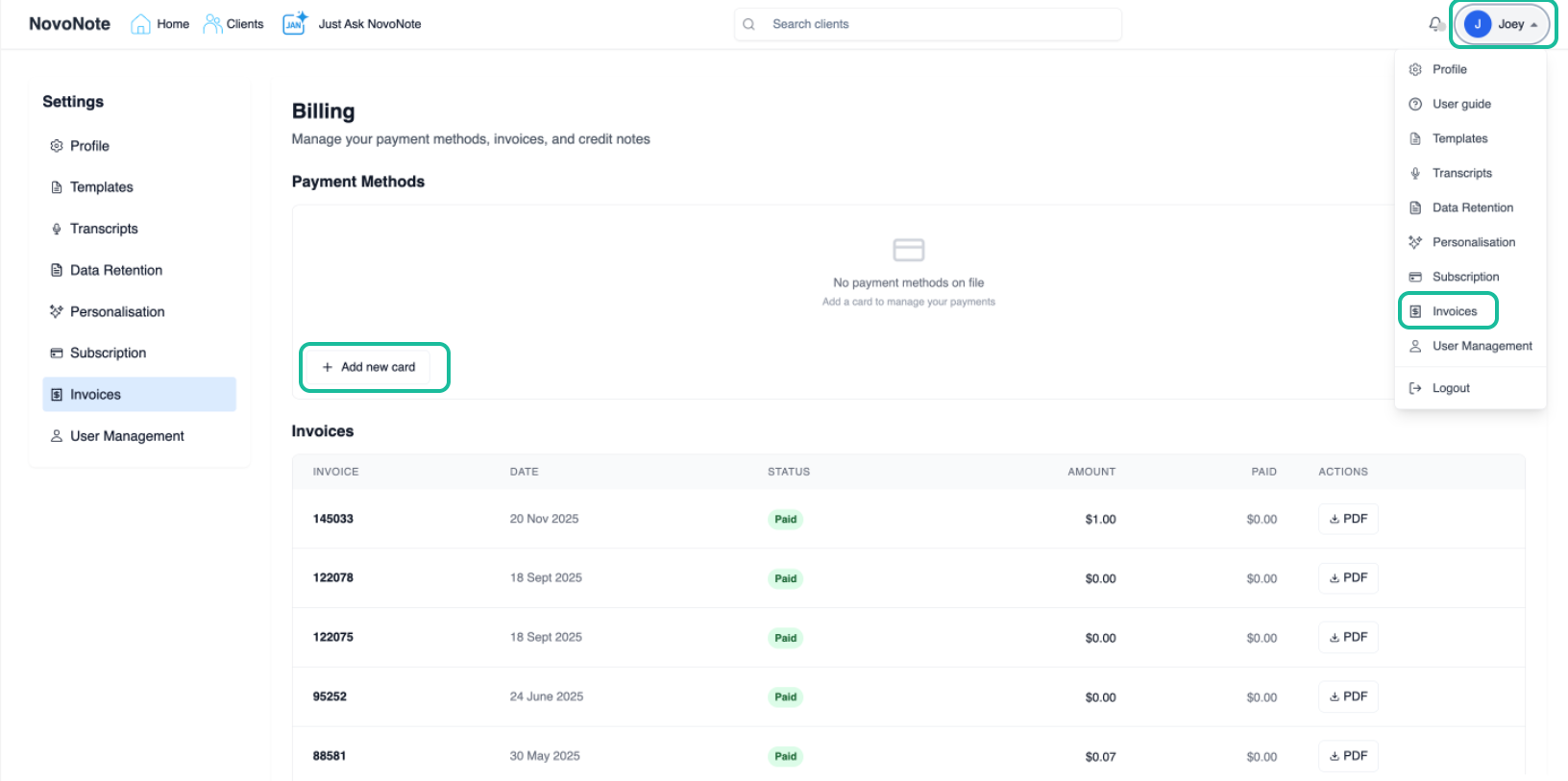
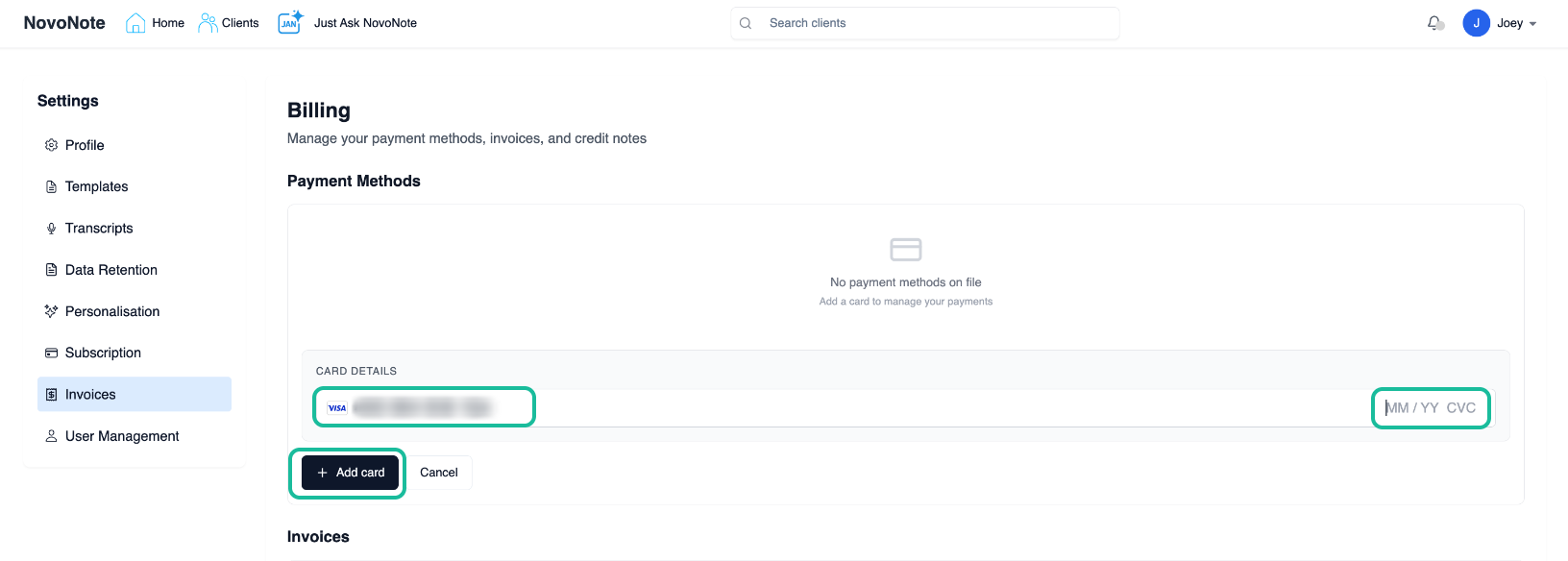
Enter Card Details: Fill in your card details (Card Number, Expiry, and CVC) into the secure fields and select "Add Card".
Confirm Success: Once the card is successfully added, it will appear under your Payment Methods list and will be set as your primary card for all future billing.
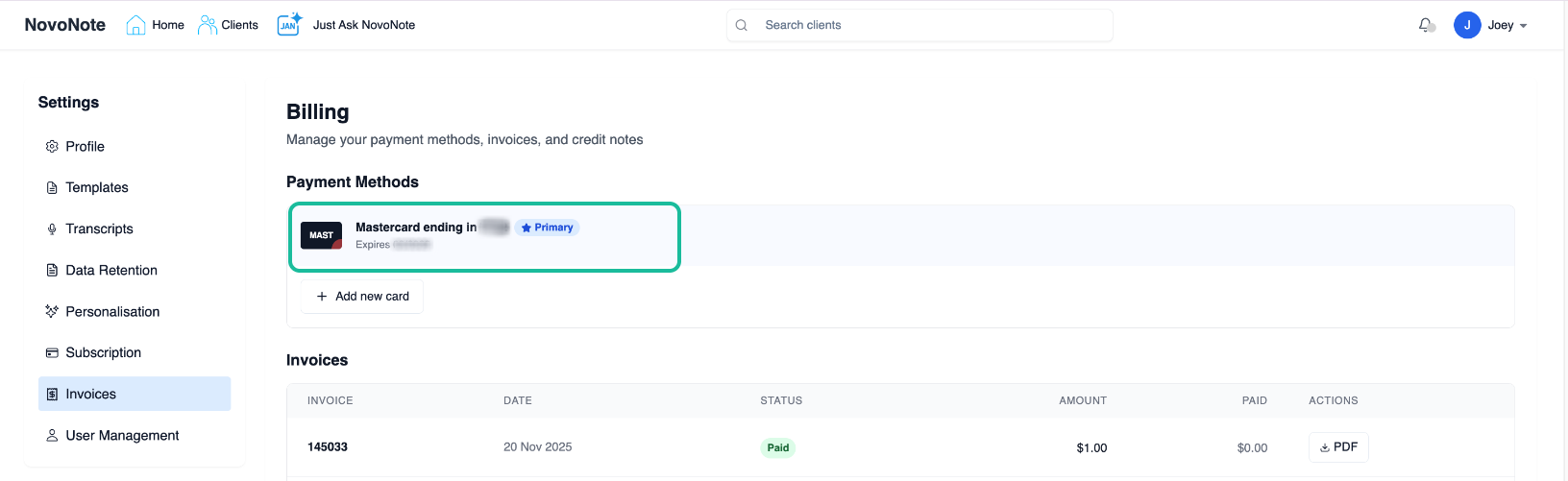
Default Billing: Users can keep more than one payment method on file if preferred. When a new card is added, it automatically becomes the default primary card, and all future payments will be charged to this primary payment method.
Keeping your payment details up to date ensures there is no interruption to your service. Your subscription will continue to renew accordingly (monthly or annually) based on your selected plan, with payments processed automatically via the payment method on file.
Also see:
Need Further Assistance?
If you have trouble adding a new card or if a payment fails despite updating your details, our team is here to help.

Contact Us: info@novopsych.com
Was this article helpful?
That’s Great!
Thank you for your feedback
Sorry! We couldn't be helpful
Thank you for your feedback
Feedback sent
We appreciate your effort and will try to fix the article